

• 🌐 Web Design
    • 📍 Local Web Designer
      • Aberdeen Web Designer
      • Ayr Web Designer
      • Dundee Web Designer
      • Glasgow Web Designer
      • Greenock Web Designer
      • Paisley Web Designer
      • Perth Web Designer
      • Renfrew Web Designer
      • Stirling Web Design
      • Scotland Web Design
    • 💻 WordPress Websites
      • WordPress Consultant
    • 🎉 Competition Sites
    • 🔨Construction websites
    • 👨‍👩‍👧‍👦 Membership sites
    • 🔖 Booking Websites
    • 🛒 E-Commerce Websites
    • ⌨️ Web Development
    • 💼 Sectors
      • Startups
      • Construction
      • Real Estate
      • Dentists
      • B2B
      • Enterprise
      • Corporate
      • Figma UX
      • Hotels
      • Real Estate Website Design
      • Travel Website Design
  • 📢 Marketing
    • 🔎 SEO
      • SEO Glossary 2025
    • 🤳 Social Media Marketing
    • 📲 Google Ads
    • ✉️ Email Marketing
    • 📍 Local Marketing Agency
      • Digital Marketing Aberdeen
      • Digital Marketing Ayr
      • Digital Marketing Dundee
      • Digital Marketing Glasgow
      • Digital Marketing Greenock
      • Digital Marketing Paisley
      • Digital Marketing Perth
  • 🌟 Branding
    • 💎 Brand Design
    • 🎯 Brand Audit
    • 📍 Local Branding Agency
      • Design Agency Aberdeen
      • Design Agency Ayr
      • Design Agency Dundee
      • Design Agency Edinburgh
      • Design Agency Glasgow
      • Design Agency Greenock
      • Design Agency Paisley
      • Design Agency Perth
  • 🏆 Results
  • ⚡ Marketing tips
  • 💬 Contact
  • 🌐 Web Design
    • 📍 Local Web Designer
      • Aberdeen Web Designer
      • Ayr Web Designer
      • Dundee Web Designer
      • Glasgow Web Designer
      • Greenock Web Designer
      • Paisley Web Designer
      • Perth Web Designer
      • Renfrew Web Designer
      • Stirling Web Design
      • Scotland Web Design
    • 💻 WordPress Websites
      • WordPress Consultant
    • 🎉 Competition Sites
    • 🔨Construction websites
    • 👨‍👩‍👧‍👦 Membership sites
    • 🔖 Booking Websites
    • 🛒 E-Commerce Websites
    • ⌨️ Web Development
    • 💼 Sectors
      • Startups
      • Construction
      • Real Estate
      • Dentists
      • B2B
      • Enterprise
      • Corporate
      • Figma UX
      • Hotels
      • Real Estate Website Design
      • Travel Website Design
  • 📢 Marketing
    • 🔎 SEO
      • SEO Glossary 2025
    • 🤳 Social Media Marketing
    • 📲 Google Ads
    • ✉️ Email Marketing
    • 📍 Local Marketing Agency
      • Digital Marketing Aberdeen
      • Digital Marketing Ayr
      • Digital Marketing Dundee
      • Digital Marketing Glasgow
      • Digital Marketing Greenock
      • Digital Marketing Paisley
      • Digital Marketing Perth
  • 🌟 Branding
    • 💎 Brand Design
    • 🎯 Brand Audit
    • 📍 Local Branding Agency
      • Design Agency Aberdeen
      • Design Agency Ayr
      • Design Agency Dundee
      • Design Agency Edinburgh
      • Design Agency Glasgow
      • Design Agency Greenock
      • Design Agency Paisley
      • Design Agency Perth
  • 🏆 Results
  • ⚡ Marketing tips
  • 💬 Contact
chat image widget of nick's photo
Need Help NOW?

Flash Required Website? Here’s Why It’s Broken (And What To Do About It)

Design Hero • Super Quick Business Marketing Tips • Flash Required Website? Here’s Why It’s Broken (And What To Do About It)

  • Picture of Nick Robb Nick Robb
  • 📆 5 Jan, 2021
  • Updated 3 Sep, 2026
  • ⏱️ 5min read
  • Flash Websites

Hadn’t you heard, Flash is dead! ☠️

Flash is a programming language used on many older sites.

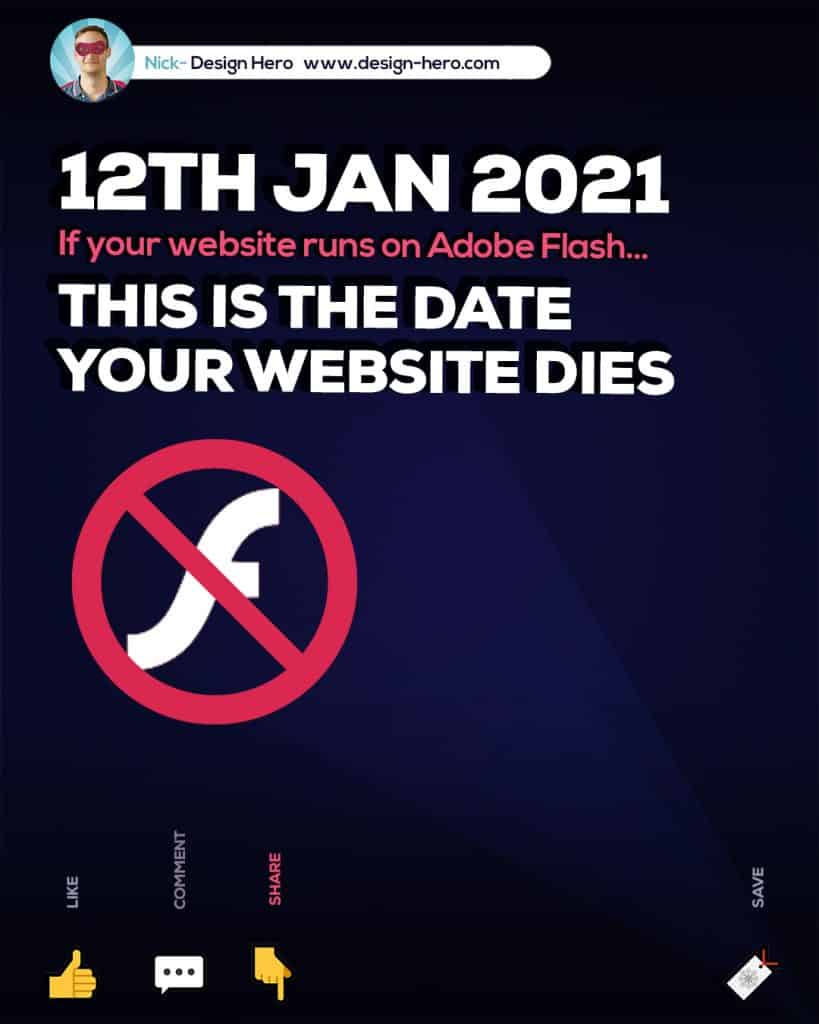
On 12th Jan 2021 Flash will be actively blocked on your website as Adobe ends Flash completely.

⚠️ If your website uses Flash your site will stop working!

Here’s your guide on what will happen, and what you need to do to avoid your site breaking on 12th Jan 2021…

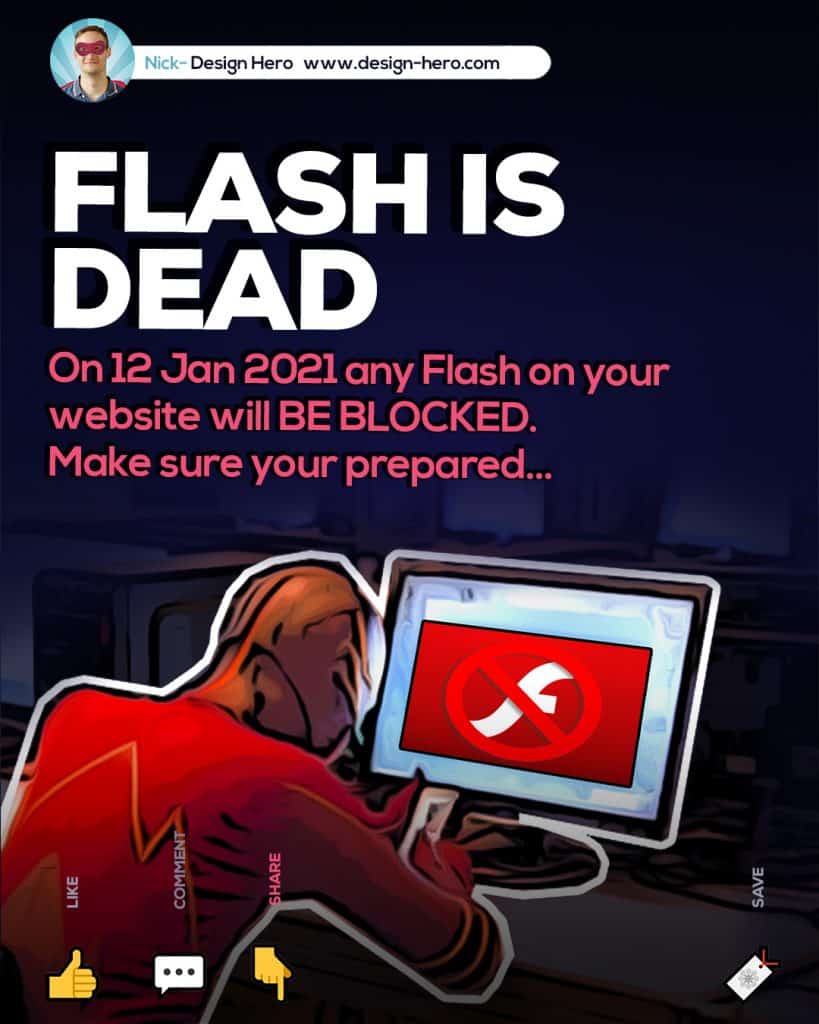
flash websites not working after January 2021

The Problem: Flash Is Gone, and It Isn’t Coming Back

Flash was once the engine behind some of the most creative corners of the web. Menus that slid into place, galleries that faded between images, and entire homepages built as one big animated experience. For years, it was the go-to way to make a website feel alive.

That engine has now been switched off. Adobe officially retired Flash Player, and from 12 January 2021 it began actively blocking Flash content from running, following an end-of-life plan first announced in 2017. Every major browser, including Chrome, Safari, Edge and Firefox, subsequently removed Flash support.

So if any part of your website was built to depend on Flash, that part is now broken for visitors using modern browsers.

It Gets Worse Before It Gets Better

Here’s the part most site owners don’t realise until it’s too late: a “Flash required” warning is rarely the only symptom. It’s usually the visible tip of a much bigger problem underneath.

One of our own first support calls of the new year came from a client whose contact form had quietly stopped delivering emails. The form itself sat inside a Flash iframe. It hadn’t been touched and nothing had “broken” in the traditional sense. Flash had simply been switched off by Adobe and the browsers, and the business had been losing enquiries without knowing why.

That’s the real danger. Flash failures don’t always look like an error message. Sometimes they look like silence.

Common problems on a Flash-dependent website include:

  • Warning banners telling visitors to “enable Flash”, even though the setting no longer exists in current browsers
  • Menu navigation that will not open or respond
  • Contact forms, quote calculators or booking widgets that stop working
  • Image galleries, sliders or portfolio pieces that display as blank space
  • Embedded video or audio that will not play
  • Important content that search engines cannot properly access

If you are carrying out a website audit for a local web design agency client, or checking your own analytics and notice that bounce rates are increasing without an obvious explanation, a legacy Flash dependency is worth ruling out.

Where Did Flash Actually Come From?

It’s worth understanding what you’re dealing with before looking at the solution. Flash didn’t start life as a web animation tool. It began as FutureSplash Animator in 1996, a small vector animation programme that Macromedia acquired and relaunched as Flash. Adobe later acquired Macromedia in 2005, and Flash became Adobe Flash as most people remember it.

Through the early and mid-2000s, Flash became a standard choice for a particular type of website, especially in creative and image-led industries. We’ve seen the same pattern repeatedly in our own web design work across Scotland.

Architecture practices. Many older architects’ websites were built entirely in Flash, using animation to move visitors through project showcases, floor plans and portfolio presentations.

Photography portfolios. Photographers used Flash for slideshow galleries and smooth image transitions that were difficult to achieve with the web technologies available at the time.

Bands and entertainment brands. Music and entertainment websites often used Flash to create immersive, almost game-like experiences with background audio, animation and interactive elements.

Communities such as Newgrounds also grew around Flash games and animation, while agencies used tools such as Adobe Dreamweaver alongside Flash to build complete websites.

It was creative, distinctive and genuinely pushed what a browser could do for more than a decade.

The trouble was that this approach was never built to survive the shift towards mobile browsing and modern web standards.

Why Flash Actually Died

Flash’s decline didn’t happen overnight, and it wasn’t solely Adobe’s decision. Apple played a decisive role. In 2010, Steve Jobs published an open letter titled “Thoughts on Flash”, explaining why Flash would not be supported on the iPhone or iPad. His concerns included battery consumption, reliability, security and the fact that Flash had not been designed around touchscreen interfaces.

That decision was significant. As smartphone browsing became increasingly important, a growing share of website visitors could no longer access Flash content properly on mobile devices.

By the time Adobe formally announced Flash’s end of life, the technology had already been declining for years. The final shutdown simply closed the door for good.

Does Your Website Still Run on Flash?

Flash is no longer a viable web technology. Modern websites use open standards such as HTML5, CSS and JavaScript to deliver animation, interaction, video and other experiences that once required a plugin.

However, plenty of older websites were built around Flash and may still contain Flash-dependent elements. This is particularly common on sites that have not been redesigned or substantially updated for many years.

Before modern CSS capabilities and visual website builders became commonplace, creating complex layouts and interactive experiences required significantly more specialist programming knowledge. Flash provided designers with a way to produce elaborate effects and highly visual layouts without relying entirely on traditional HTML and CSS.

That was particularly common in industries where presentation was a major part of the website experience.

Architects’ Websites

A large number of older architecture websites relied heavily on Flash to showcase projects, floor plans, photographs and animations. For a design-led business, Flash provided a way to create an immersive portfolio experience that was difficult to replicate with the web technologies available at the time.

Photographers’ Websites

Photographers also frequently used Flash for animated image galleries, slideshows and transitions. These effects could make a portfolio feel much more dynamic than a basic collection of static images.

Website Not Working Because of Flash?

If an older website depends on Flash, the problems can extend far beyond a simple warning message.

Warnings and Error Messages

Because Flash is no longer supported, visitors may see warnings explaining that Flash Player is required or that the content cannot be displayed.

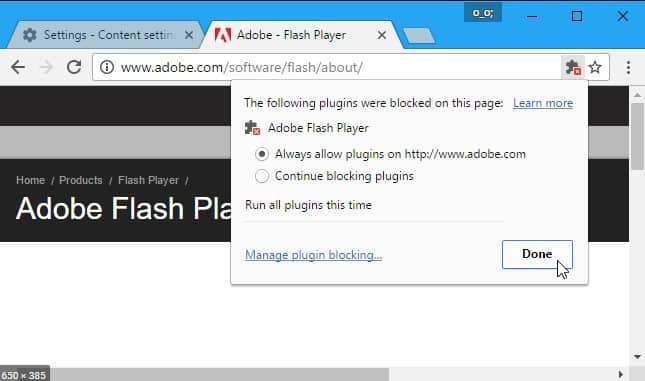
Flash website warning message in Safari

Website Functionality No Longer Works

This is often the most serious problem. If essential functionality was built using Flash, it can stop working entirely.

That could include a contact form, navigation menu, booking tool, calculator, gallery or another interactive element. In our own experience, a Flash-based contact form once resulted in a client no longer receiving enquiries because the form was embedded inside a Flash iframe.

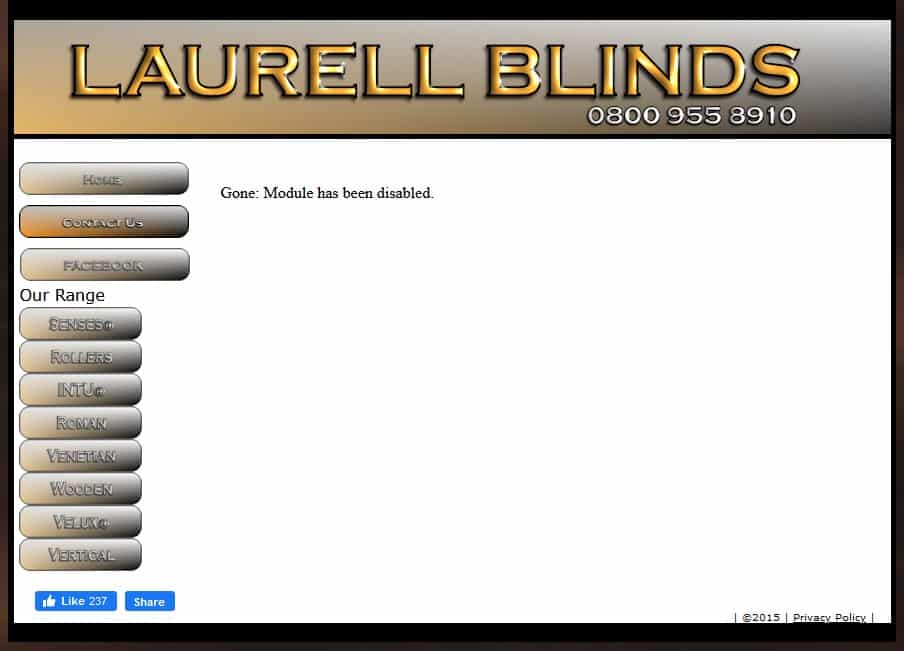
Flash website contact form no longer working
The contact form on this website runs on Flash and has stopped working.

Website Content Is Not Properly Accessible to Search Engines

Flash has been outdated for years, and another major issue is how its content was handled by search engines. Important text, navigation and other elements contained inside Flash could not be treated in the same way as normal HTML content.

If important headings, descriptions or links are locked inside an old Flash application, the page can lose valuable search visibility. Modern websites should instead present important content in crawlable HTML and use current web standards for interactive elements.

How Does the End of Flash Affect Your Business Website?

Flash had already been on its way out for years before Adobe officially ended support. Mobile browsing, security concerns and the rise of modern web standards had steadily reduced its relevance.

The final shutdown meant that websites still dependent on Flash could no longer rely on visitors being able to run those elements.

If your website contains Flash-based functionality, the impact could include:

  • Menu navigation no longer working
  • Contact forms failing to submit
  • Important page content becoming inaccessible
  • Images and galleries failing to load
  • Animations and transitions disappearing
  • Video or audio content no longer playing

Website affected by the end of Flash support

If any part of your website still relies on Flash, those elements need to be replaced with modern web technology.

How to Check If Your Website Still Uses Flash

A few signals make it more likely that a website still relies on Flash somewhere:

  • The site was built before around 2015 and has not had a significant rebuild since
  • It uses old embedded widgets or contact forms
  • It contains old-style banner advertisements
  • It has a completely separate mobile website rather than a responsive design
  • Certain sections load correctly while others show blank space, missing images or broken layouts

You don’t have to guess. A technology-checking tool such as BuiltWith can scan a website and identify legacy technologies and plugins. It’s the same kind of technical check that can be useful before quoting for a web development project involving an older website.

Why This Matters Beyond “It Looks Broken”

A Flash-dependent element doesn’t simply make a website look dated. It can actively cost a business opportunities in several ways.

Search visibility. Important content needs to be available in a form that search engines can access and understand. Google provides guidance on how modern websites should handle interactive content, while legacy Flash content presents significant limitations compared with standard HTML. You can read more about modern rendering and crawling in Google’s JavaScript SEO guidance.

Accessibility. Flash-based interfaces can create accessibility problems, particularly when important navigation or content is contained inside a proprietary plugin. Replacing Flash with semantic HTML and modern web standards provides a much stronger foundation for accessible design.

Conversions. A broken contact form, dead “Book Now” button or gallery that never loads can remove the very action a visitor came to take.

Trust. A visitor who encounters a “Flash Player required” message on their first visit is likely to question whether the business still maintains its website. When a competitor’s site loads quickly and works across modern devices, that first impression matters.

What Replaced Flash (and Why It’s Better)

The good news is that virtually everything Flash was used for can now be handled by open web standards without requiring a browser plugin.

  • HTML5 provides native support for video, audio and canvas-based graphics directly in modern browsers. The HTML5 documentation on MDN provides more technical information.
  • CSS3 handles animations, transitions, hover effects and many visual interactions that once required Flash.
  • JavaScript powers interactive functionality, including sliders, booking calendars, filters and dynamic galleries.
  • WebGL supports advanced 3D graphics and immersive browser-based experiences.

The practical result is a website that can be just as engaging as the best Flash sites once were, while working across modern devices without requiring visitors to install or enable a plugin.

What to Actually Do If Your Site Still Runs on Flash

The right solution depends on how much of the website is affected.

If it’s isolated to one or two elements, such as a gallery, contact form or menu, a developer can usually rebuild those components using modern HTML, CSS and JavaScript without replacing the entire website. This can be the quickest and most cost-effective approach, particularly if the rest of the site is still technically sound. It is the kind of targeted work that can be handled through a professional web development service.

If the whole site was built in Flash, patching individual elements is unlikely to be worthwhile. At that point, the website is probably overdue a complete rebuild. Moving to a flexible platform such as WordPress provides a modern foundation that can be maintained, expanded and optimised without relying on obsolete technology.

Either way, it is worth pairing the technical fix with a proper review of your SEO. A website that has spent years relying on inaccessible or outdated content may also have missed opportunities for search visibility. The SEO glossary is a useful starting point for understanding some of the terminology involved.

Flash websites no longer working after Adobe Flash Player end of life

Prepare for the End of Flash Websites

Flash is dead, but the web technologies that replaced it are significantly more capable. Modern HTML, CSS and JavaScript can deliver the animation, interaction, video and visual experiences that once made Flash so popular, without relying on a browser plugin.

There are good reasons why Flash is no longer used on the modern web. However, many older websites still contain Flash-based elements, and those sites now need to be updated.

If you suspect that your website still relies on Flash, get in touch for a free quote for web design and web development.

A Quick Note on Flash’s Legacy

None of this is to say that Flash was a bad piece of technology. For a solid decade, it enabled experiences that were difficult or impossible to create with other web technologies. It genuinely shaped how a generation of designers and developers thought about animation and interactivity on the web.

If you’re feeling nostalgic, the Internet Archive preserves thousands of Flash games and animations using emulation, so the culture surrounding Flash has not disappeared completely, even if the plugin itself has.

Your business website, though, doesn’t need nostalgia. It needs to work on every device, for every visitor, every time.

FAQs

Is Flash discontinued?

Yes, officially and completely. Adobe announced the shutdown in 2017, stopped distributing and updating Flash Player on 31st December 2020, and began actively blocking Flash content from running from 12th January 2021 onward. It is not coming back for mainstream use.

Why did Flash get shut down?

A combination of reasons pushed Adobe to retire it. Flash required a separate plugin that was a constant target for security vulnerabilities and malware. It drained battery life and caused frequent crashes, especially on mobile. Search engines couldn’t crawl content built inside it, which hurt SEO. And once Apple refused to support it on the iPhone and iPad, following Steve Jobs’ 2010 “Thoughts on Flash” letter, the writing was on the wall. Open standards like HTML5, CSS3 and JavaScript could do everything Flash did, without the plugin, the security risk, or the battery drain.

Do Flash websites still exist?

Yes, in the sense that plenty of old sites were never rebuilt and are still online today, with all their Flash elements sitting broken. What doesn’t exist any more is a browser that will actually run that Flash content for a visitor. So the site “exists,” but functionally it’s been switched off.

Is it possible to still use Flash?

Not in any practical, day-to-day way. Adobe China maintains a regional version through flash.cn, but it’s been flagged by security researchers for bundling adware, and it’s restricted to mainland China anyway. The only realistic route for anyone wanting to view old Flash content elsewhere is a dedicated emulator like Ruffle, which the Internet Archive uses to run archived Flash games and animations safely in the browser, without installing anything. It’s a preservation tool, not something you’d build a live business website on.

Is there a browser that still supports Flash?

No mainstream browser does. Current versions of Chrome, Edge, Firefox, Safari and Opera all removed Flash support entirely once Adobe’s plugin framework was retired. You may see older niche or forked browsers claiming Flash support, but running one exposes you to real security risk for the sake of viewing content that was designed to be replaced.

What program replaced Flash?

No single program replaced it. Instead, a combination of open web standards took over everything Flash used to do: HTML5 for native video, audio and graphics, CSS3 for animation and transitions, and JavaScript for interactivity. Together they cover Flash’s old feature set without needing a plugin, and they’re what every modern website is now built on.

About the author

Picture of Nicholas Robb, Founder

Nicholas Robb, Founder

The original Design Hero founder, solopreneur and marketing expert; Nick will help you supercharge your business success with a broad skill-set spanning a range of digital marketing fields.
If you want help growing your business...

Book a call
LinkedIn
Instagram

Want to contact Design Hero?

✅ I don't do sales calls
✅ I don't do geek-speak or tech-talk
✅ I only work with people I've spoken to first
✅ I only take on x1 client per month.

We'll need to have a brief chat, so I can see if we're a good fit,
and give you a quote for your project.

More from the Design Hero Blog...

a superhero representing the topic faqs about raffle site in the uk

FAQs About Raffle Sites in UK

Read More »
A superhero filling up a form on How to apply for an rmg license for your raffle website

How to Apply for an RMG Licence for Your Raffle Website: Step-by-Step Guide (2026)

Read More »

Common Social Media Mistakes Businesses Make

Read More »

Digital Marketing Strategy for UK Small Businesses

Read More »

How to Turn Your Website into a Lead Generation Machine

Read More »

Is Google Ads Worth It for Small Businesses?

Read More »

Marketing Funnel for Service Businesses (UK Version)

Read More »

Why Your Competitors Rank Higher Than You

Read More »
a superhero brainstorming a design for an ecommerce website

How to do web design for E-commerce: 4 Creative Websites

Read More »

WordPress SEO Checklist for UK Businesses

Read More »

Top 10 WordPress Web Design Agencies in Scotland (2026)

Read More »

Top 8 eCommerce Website Design Agencies in Glasgow (2026)

Read More »

Are you ready to...
Transform your marketing success?

contact

Design Hero
FLOOR 2,
Clyde Offices,
48 W George St,
Glasgow
G2 1BP

07775151216
info@design-hero.com

Connect

Youtube

LinkedIn

Instagram

Sitemap

⭐ Branding
🌐 Web Design
📢 Marketing
🏆 Success Stories
🦸‍♂️ About
⚡ Business Tips
💬 Contact

Terms & Conditions | Cookie Policy | Privacy Policy | Sitemap | Copyright © 2019. All Rights Reserved | Life by Design