


Ecommerce Foundations Every Retailer Needs
Before looking at features or design, the foundations must be right.
Without these, even the best looking store will struggle.
1. Clear value proposition
Your value proposition answers a simple question.
Why should someone buy from you instead of anywhere else?
Price alone is not enough.
Free delivery alone is not enough.
Your value proposition might be:
- Product quality
- Specialism or niche focus
- Speed or reliability
- Ethical or local sourcing
- Expertise or curation
This must be clear on the homepage and category pages.
If customers cannot see why you are different, they will compare prices and leave.
2. Defined target audience
Ecommerce sites fail when they try to please everyone.
A strong store is designed around a specific customer.
You should know:
- Who they are
- What motivates them
- What concerns them
- How they shop online
This influences everything.
Navigation.
Language.
Images.
Checkout flow.
When the audience is unclear, the site feels generic.
3. Strong branding
Branding plays a huge role in ecommerce.
Customers cannot touch products.
They judge quality through presentation.
Strong branding creates confidence.
This includes:
- Consistent colors
- Clear typography
- Professional imagery
- Confident tone of voice
Weak branding raises doubt at the exact moment customers are deciding whether to buy.
4. Reliable platform choice
Your ecommerce platform is not just a technical decision.
It affects:
- Speed
- Stability
- Scalability
- Ongoing costs
- Ease of management
Choosing the wrong platform creates long term friction.
The right platform supports growth without constant workarounds.
5. Secure hosting and SSL
Security is expected.
Customers look for signs that their data is safe.
Search engines do the same.
An ecommerce store without SSL and reliable hosting will struggle to build trust.
Security is not optional.
Ecommerce Website Checklist for Retailers
This is the main checklist.
Work through each section honestly.
Every missed item is a potential barrier to sales.
1. Design and Branding Checklist
Design shapes first impressions.
Before customers read product descriptions, they judge the store visually.
Consistent branding
Branding should feel unified across the entire site.
Fonts should not change randomly.
Colors should not clash.
Buttons should look consistent.
Inconsistency feels careless and reduces confidence.
Clean layout
Clutter kills focus.
Retailers often try to show too much at once.
Promotions.
Banners.
Popups.
Clean layouts make decisions easier.
Whitespace improves readability and keeps attention on products.
Clear visual hierarchy
Customers should know where to look first.
Product titles.
Prices.
Calls to action.
If everything competes for attention, nothing stands out.
Hierarchy guides behavior.
Mobile first design
Most ecommerce traffic is mobile.
This is not a future trend.
It is the present.
Mobile design must consider:
- Thumb friendly buttons
- Readable text
- Simple layouts
- Fast load times
A store that struggles on mobile will leak sales constantly.
2. User Experience Checklist
User experience determines how easy it is to buy.
If buying feels hard, customers leave.
Simple navigation
Navigation should be obvious.
Customers should find products quickly without thinking.
Avoid:
- Overloaded menus
- Too many categories
- Clever labels that confuse
Simple navigation converts better.
Clear categories
Categories should reflect how customers think.
Use customer language, not internal terminology.
Clear categories reduce friction and speed up browsing.
Logical product structure
Products should be organised consistently.
Attributes such as size, colour or type should be predictable.
Inconsistent structure frustrates users and slows decisions.
Effective search and filters
Search is critical for larger stores.
Filters should help customers narrow results easily.
Poor search functionality loses high intent shoppers.
3. Product Page Checklist
Product pages are where sales happen.
This section matters more than most retailers realise.
Clear product titles
Titles should describe the product clearly.
Avoid internal codes or vague names.
Think about how customers search and browse.
High quality product images
Images sell products.
Use:
- Multiple angles
- Close ups
- Lifestyle shots where relevant
Low quality images create doubt and increase returns.
Clear pricing
Prices should be visible and easy to understand.
Avoid hiding costs or adding surprises later.
Transparency builds trust.
Stock availability
Customers want certainty.
Clear stock indicators reduce frustration and abandoned carts.
Product descriptions that sell
Descriptions should focus on benefits.
Explain how the product helps, not just what it is.
Address common questions and objections.
Good copy reduces hesitation.
Reviews and ratings
Reviews reassure new customers.
They reduce perceived risk.
Even a small number of honest reviews improves conversions.
4. Checkout Process Checklist
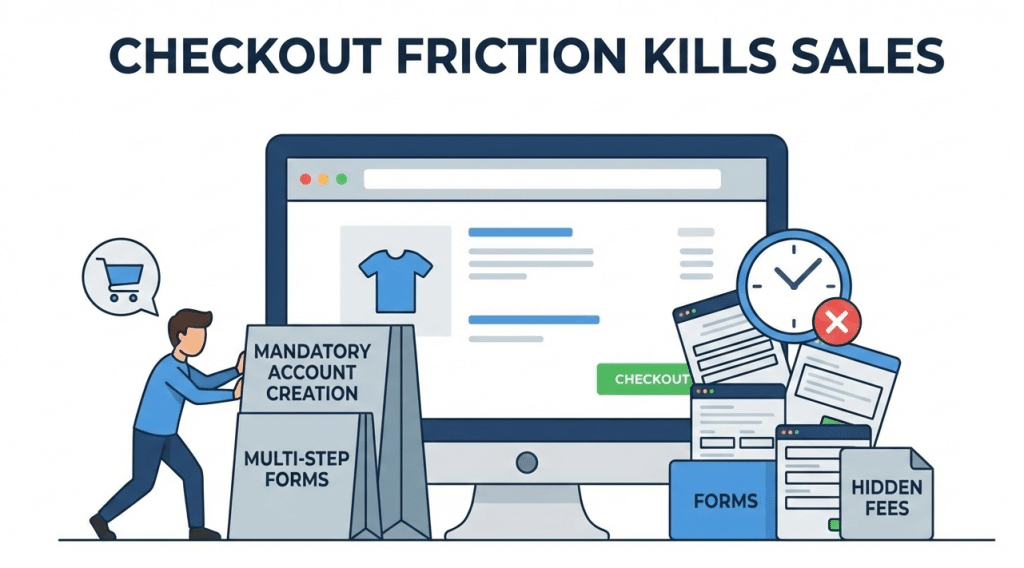
Checkout is where most ecommerce revenue is won or lost.
Many retailers focus heavily on design and products, then treat checkout as an afterthought.
That mistake costs sales every day.
A good checkout feels simple, safe and predictable.
Minimal steps
Every extra step creates friction.
Customers should move from basket to confirmation with as few screens as possible.
Avoid:
- Multi page checkout flows
- Repeating information
- Unnecessary form fields
Shorter checkout equals higher completion rates.
Guest checkout
Forcing account creation is one of the biggest conversion killers.
Many customers just want to buy and leave.
Allow guest checkout by default.
Offer account creation after purchase.
This respects the customer and reduces abandonment.
Clear delivery costs
Unexpected delivery charges destroy trust instantly.
Customers feel tricked when costs appear late in the process.
Best practice is to:
- Show delivery costs early
- Explain options clearly
- Avoid vague pricing
Transparency reduces drop offs.
Multiple payment options
Different customers prefer different payment methods.
At a minimum, offer:
- Debit and credit cards
- Digital wallets
- Buy now pay later options where suitable
Limited payment options mean lost sales.
Visible security reassurance
Checkout is a moment of doubt for many customers.
Reassure them clearly.
This includes:
- Secure payment icons
- SSL indicators
- Short reassurance messages
Confidence at checkout increases completion.
5. Trust and Credibility Checklist
Trust is essential in ecommerce.
Without trust, no amount of optimisation will help.
Reviews and testimonials
Real feedback builds confidence.
Use reviews that are:
- Specific
- Honest
- Easy to read
Avoid fake or generic praise.
Customers can spot it instantly.
Clear returns policy
Customers want to know what happens if something goes wrong.
A clear, fair returns policy reduces perceived risk.
Make it easy to find.
Do not hide it in the footer.
Contact details
Legitimate businesses are easy to contact.
Include:
- Email address
- Phone number if relevant
- Physical address where appropriate
Hidden contact details raise red flags.
About page
People buy from people.
A strong About page:
- Explains who you are
- Shows values
- Builds connection
This is especially important for independent retailers.
Trust badges
Use trust badges carefully.
They work best when:
- Relevant
- Recognisable
- Placed near decision points
Overuse feels desperate and reduces impact.
6. Performance and Speed Checklist
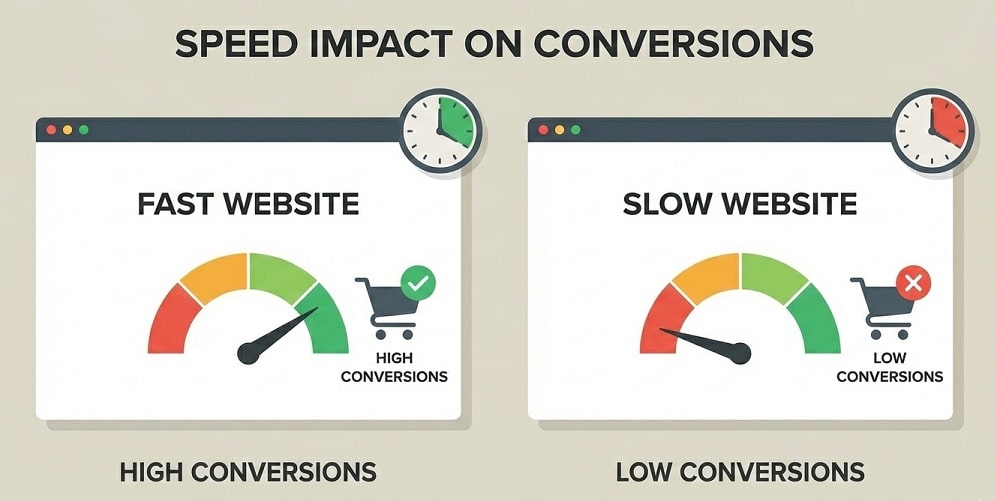
Speed directly affects ecommerce performance.
Slow stores lose customers before they see products.
Fast loading pages
Customers expect speed.
Slow loading pages feel untrustworthy and outdated.
Performance affects:
- Conversions
- Bounce rates
- Search visibility
Speed is not optional.
Optimised images
Images are often the biggest cause of slow pages.
Optimise without sacrificing quality.
Proper optimisation improves speed immediately.
Mobile performance tested
Mobile users are less patient.
Test performance on real devices, not just desktops.
If mobile is slow, sales will suffer.
7. SEO Essentials Checklist
SEO drives qualified traffic to ecommerce stores.
Without it, growth depends on ads alone.
Optimised product URLs
URLs should be clean and readable.
Avoid long strings of numbers or unnecessary parameters.
Clear URLs help users and search engines.
Meta titles and descriptions
Every product and category should have unique metadata.
This improves:
- Search visibility
- Click through rates
Generic metadata wastes opportunity.
Clean category structure
Categories should be logical and crawlable.
Avoid unnecessary depth or duplication.
Clear structure supports indexing and usability.
Internal linking
Internal links help users explore and help search engines understand importance.
Link related products.
Link categories clearly.
Good linking improves discovery and rankings.
8. Analytics and Tracking Checklist
Data is essential for improvement.
Guessing leads to wasted effort.
Conversion tracking
Track:
- Purchases
- Add to cart actions
- Checkout starts
Without this, optimisation is impossible.
Abandoned cart tracking
Abandoned carts reveal friction points.
Use tracking and recovery emails where appropriate.
Even small improvements here boost revenue.
User behaviour insights
Heatmaps and session recordings show where users struggle.
Behaviour data reveals problems analytics alone cannot.
9. Compliance and Legal Checklist
Legal compliance protects both retailer and customer.
It also builds trust.
GDPR compliance
Customer data must be handled lawfully.
Be clear about data usage and storage.
Cookie consent
Users must be informed and given a choice.
Cookie consent should be clear and compliant.
Privacy policy
Explain how customer data is handled.
Make the policy easy to find and understand.
Terms and conditions
Set expectations clearly.
Terms protect your business and reassure customers.
Common Ecommerce Mistakes Retailers Make
Even experienced retailers fall into the same traps.
These mistakes quietly kill conversions and are often missed because the site still “looks fine”.
Overcomplicated navigation
Trying to show everything at once overwhelms shoppers.
Too many categories.
Too many menu items.
Too many choices.
When customers cannot decide quickly, they leave.
Simpler navigation almost always converts better.
Slow checkout
Checkout should feel effortless.
Extra steps.
Unnecessary fields.
Repeated information.
Each one increases abandonment.
If checkout feels like work, customers stop.
Poor product images
Images are the product in ecommerce.
Low quality photos damage trust.
Few angles create doubt.
Lack of context increases returns.
Customers need confidence before buying.
Hidden costs
Nothing destroys trust faster than surprise costs.
Delivery fees added late.
Taxes revealed at checkout.
Customers feel misled and abandon immediately.
Ignoring mobile shoppers
Many retailers still design for desktop first.
Small buttons.
Hard to use filters.
Clumsy checkout.
Mobile users have less patience.
They leave faster.
No trust signals
No reviews.
No clear policies.
No visible contact details.
If customers do not trust the store, they will not buy.
Platform Considerations for Retailers
Platform choice matters.
There is no single best ecommerce platform.
There is only the right one for your business.
Shopify
Shopify is popular for good reasons.
It is stable.
It is secure.
It is easy to manage.
Best suited for:
- Retailers who want simplicity
- Businesses scaling quickly
- Stores with larger catalogues
Things to consider:
- Monthly fees
- App costs can add up
- Custom design often needs development work
Shopify works well when reliability and speed to market matter most.
WooCommerce
WooCommerce offers flexibility and control.
It runs on WordPress and allows deep customisation.
Best suited for:
- Content driven stores
- Businesses wanting full ownership
- Retailers with unique requirements
Things to consider:
- Hosting responsibility
- Ongoing maintenance
- Plugin management
WooCommerce suits retailers comfortably managing complexity.
Other platforms
There are other platforms available.
Some suit niche use cases.
Some limit long term growth.
Avoid choosing based on hype or price alone.
The platform should support your business goals, not restrict them.
How Design Hero Builds Ecommerce Websites That Sell
Successful ecommerce sites are not accidents.
They are the result of deliberate decisions made early.
Here is how we approach ecommerce projects.
Strategy before build
We start with understanding.
Products.
Margins.
Customers.
Growth plans.
This shapes structure, messaging and platform choice.
Conversion focused design
Design choices are guided by behaviour.
Clear product discovery.
Strong product pages.
Friction free checkout.
Looks matter, but performance matters more.
Platform agnostic advice
We recommend platforms based on fit.
Not commission.
Not convenience.
The right platform depends on your business model.
One point of contact
You work directly with the expert building your store.
No handovers.
No confusion.
Clear communication.
Built for growth and scale
We build stores that can evolve.
Flexible structure.
Scalable architecture.
Future focused decisions.
Short term wins should not block long term success.
Quick Ecommerce Website Self Audit
Use this quick audit to spot issues fast.
Answer honestly.
Can customers find products easily
If browsing feels difficult, sales suffer.
Is checkout friction free
Every unnecessary step costs money.
Does the site feel trustworthy
If you hesitate, customers will too.
Is the mobile experience smooth
Most ecommerce journeys start on mobile.
Are sales tracked properly
If you cannot measure performance, you cannot improve it.
If several answers are no, revenue is leaking.
Ecommerce Success Is Built, Not Guessed
Ecommerce websites succeed because of attention to detail.
Navigation.
Images.
Messaging.
Checkout flow.
Trust signals.
Each one either helps or hurts conversions.
Ignoring details costs sales every day.
This checklist exists to remove guesswork and focus attention where it matters.
Conclusion
Ecommerce success does not come from luck.
It comes from clarity, structure and constant improvement.
This checklist gives retailers a practical way to build, audit or improve an ecommerce website.
If your store is underperforming, there is a reason.
If sales feel inconsistent, friction exists somewhere.
Design Hero helps retailers across Scotland and the UK build ecommerce websites that actually sell.
No fluff.
No shortcuts.
Just strategy, smart design and real results.
If you are planning a new ecommerce website or want honest input on your current store, speak with us.
We will help you build an ecommerce site that works as hard as you do.