

What a UX Audit Is
A UX audit is a structured review of how real users experience your website.
It looks at how people move through the site, where they hesitate, where they drop off and where friction appears. The goal is not to judge design taste. The goal is to identify what is stopping users from progressing.
A proper UX audit is based on evidence.
That evidence can include behaviour data, page performance, user flows, device usage and established usability best practice. It focuses on clarity, ease of use and decision making.
In simple terms, a UX audit shows you where your website is making things harder than they need to be.
It answers questions like:
- Do users understand what the business offers
- Can they find what they need quickly
- Is the next step obvious
- Does the site work well on mobile
- Where are people giving up
Instead of making assumptions, a UX audit reveals what is actually happening.
What a UX Audit Is Not
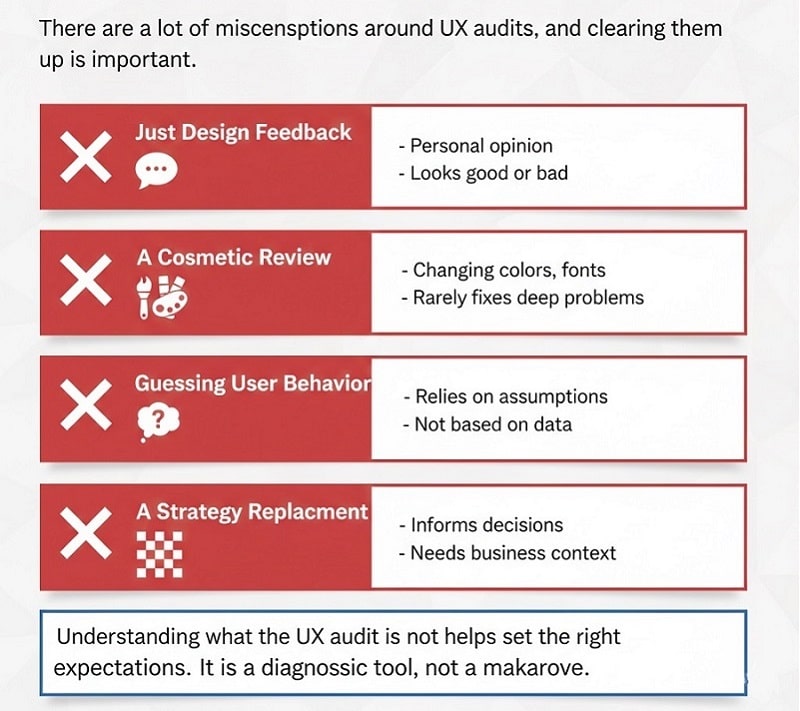
There are a lot of misconceptions around UX audits, and clearing them up is important.
A UX audit is not just design feedback. It is not a personal opinion about whether something looks good or bad.
It is also not a cosmetic review. Changing colours, fonts or layouts without understanding user behaviour rarely fixes deeper problems.
A UX audit is not guessing. It does not rely on what someone thinks users might do. It looks at what users are actually doing.
It is also not a replacement for strategy. A UX audit informs decisions, but it still needs to be interpreted within the context of the business goals.
Understanding what a UX audit is not helps set the right expectations. It is a diagnostic tool, not a makeover.
Key Areas a UX Audit Reviews
A UX audit looks at the website as a complete experience, not a collection of pages. Each area contributes to how users feel and behave.
1. User journeys
One of the first things a UX audit reviews is how users move through the site.
This includes where they land, which pages they visit next and where they drop off. Many websites unintentionally force users into dead ends or confusing loops.
A UX audit maps these journeys and identifies where users lose momentum.
2. Navigation and structure
Navigation plays a huge role in usability.
If users cannot easily find what they are looking for, they leave. It is that simple.
A UX audit reviews menu structure, page hierarchy and internal linking to see whether the site makes sense from a user perspective.
Clear structure reduces effort and improves confidence.
3. Messaging and clarity
Even well designed websites fail when the message is unclear.
A UX audit examines whether users can quickly understand what the business offers, who it is for and why it matters. This includes headlines, supporting copy and page introductions.
If users have to work too hard to understand the offer, conversions suffer.
4. Calls to action
Users need guidance.
A UX audit looks at whether calls to action are visible, clear and well placed. It also considers whether they feel appropriate for the stage of the journey.
When calls to action are missing or vague, users stall.
5. Mobile experience
For most UK websites, mobile traffic makes up a large portion of visits.
A UX audit checks whether the mobile experience is genuinely usable. This includes tap targets, form usability, readability and load times.
A site that works on desktop but struggles on mobile loses opportunities quietly.
6. Speed and performance
Performance affects perception.
Slow loading pages create frustration and reduce trust before users even see the content. A UX audit highlights where speed issues are likely impacting behaviour.
Even small delays can cause users to abandon a page.
7. Accessibility basics
Accessibility is not just about compliance. It is about usability for everyone.
A UX audit checks basic accessibility factors such as text contrast, readability, form labels and keyboard navigation.
Improving accessibility often improves usability for all users.
Signs Your Website Needs a UX Audit
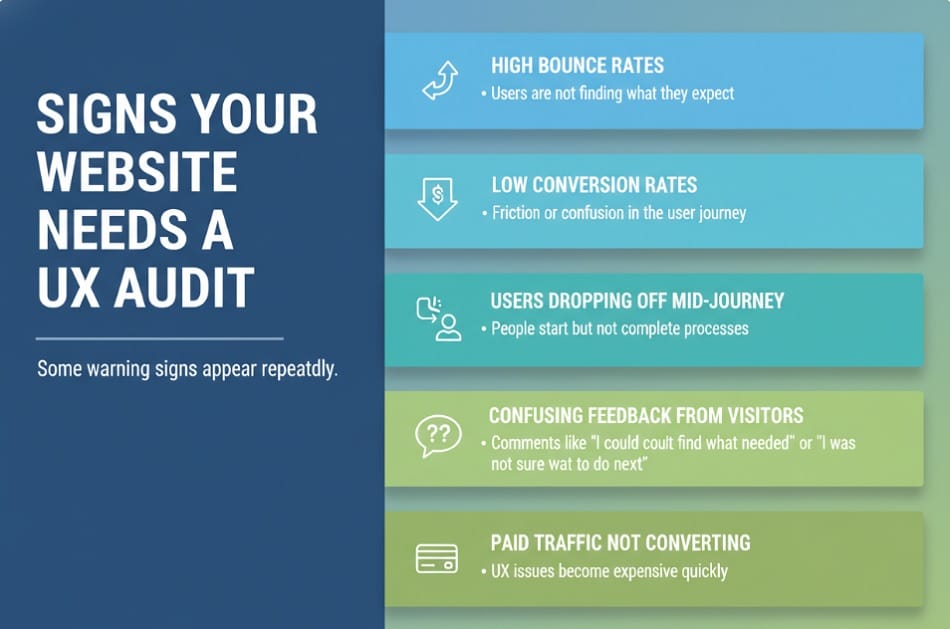
Some warning signs appear again and again.
High bounce rates often mean users are not finding what they expect. Low conversion rates suggest friction or confusion somewhere in the journey.
Users dropping off mid journey is another red flag. If people start a process but do not complete it, something is getting in the way.
Confusing feedback from visitors is also common. Comments like “I could not find what I needed” or “I was not sure what to do next” are strong indicators.
Paid traffic not converting is another trigger. When you are paying to bring people to the site, UX issues become expensive quickly.
Repeated redesigns with no improvement are often a sign that decisions are being made without understanding the underlying problems.
How a UX Audit Saves Time and Money
Many businesses avoid UX audits because they feel like an extra step. In reality, a UX audit often saves more time and money than any other part of the process.
Without an audit, decisions are based on assumptions. Teams redesign pages, adjust layouts or invest in new features without knowing whether those changes will fix the real problem. This leads to repeated work and growing frustration.
A UX audit replaces guesswork with evidence. It highlights what actually needs fixing and what can be left alone. This prevents unnecessary redesigns and reduces wasted development time.
By prioritising issues, an audit helps businesses focus their budget where it will have the most impact. Quick wins are identified early, while larger improvements are planned properly.
UX audits also protect future investment. When design or development work is informed by real user behaviour, changes are more likely to deliver measurable results.
What Happens After a UX Audit
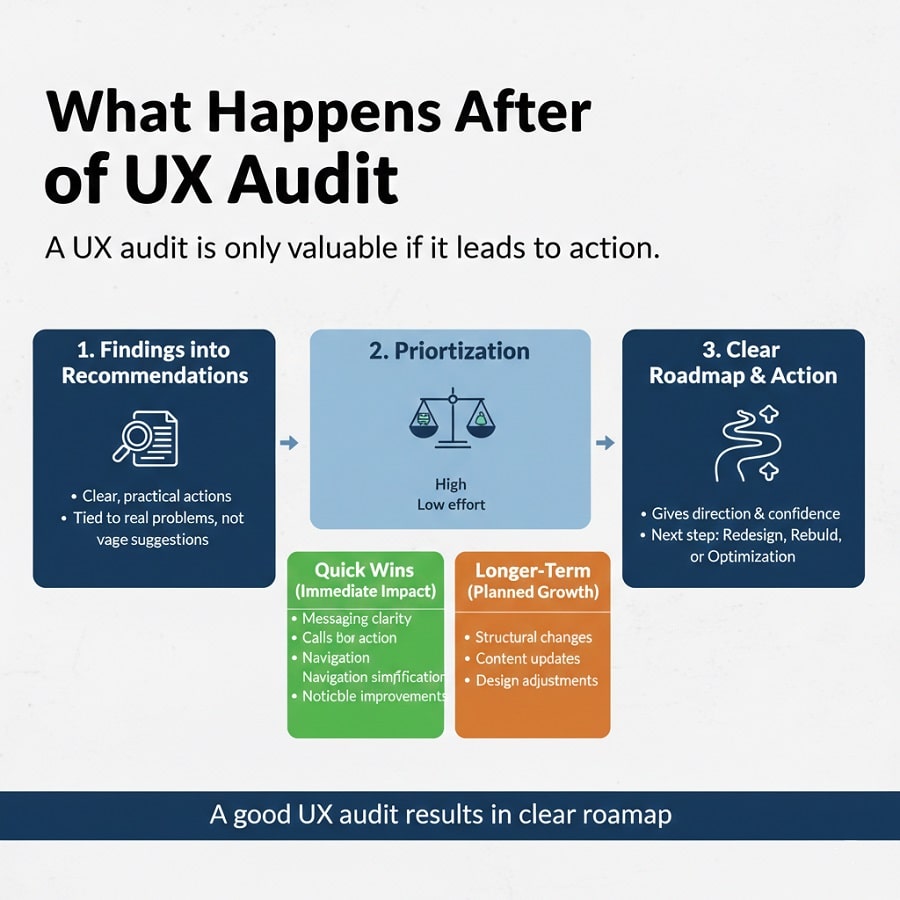
A UX audit is only valuable if it leads to action.
After the audit, findings are translated into clear, practical recommendations. These are not vague suggestions. They are specific actions tied to real problems.
Issues are prioritised based on impact and effort. This helps businesses understand what should be addressed immediately and what can be scheduled for later.
Quick wins might include improving messaging clarity, adjusting calls to action or simplifying navigation. These changes can often deliver noticeable improvements without major work.
Longer term recommendations may involve structural changes, deeper content updates or design adjustments. When these are needed, they are planned with purpose rather than guesswork.
A good UX audit results in a clear roadmap. It gives direction and confidence, whether the next step is a redesign, rebuild or targeted optimisation.
How Design Hero Conducts UX Audits
At Design Hero, UX audits are not treated as a generic checklist.
We start by understanding the business. Goals, audience and context matter. A UX issue for one business may not be an issue for another.
Our audits are strategy led. We look at how the website supports growth, not just how it looks. This includes reviewing user behaviour, messaging, structure and conversion paths.
Insights are grounded in real user behaviour and best practice. We avoid jargon and focus on clarity. Every finding is explained in plain language.
Recommendations are conversion focused. The aim is not to create work for the sake of it, but to remove friction and improve outcomes.
Clients deal with one point of contact throughout. This keeps communication clear and avoids conflicting advice.
Everything we do is designed for UK and Scottish businesses. We understand local audiences, expectations and behaviour patterns.
Not getting enough conversions on your website? We can help, Book a free appointment
Quick UX Self Check
You do not need specialist tools to spot obvious UX issues. A simple, honest review can reveal a lot.
- Start by looking at your website as if you are seeing it for the first time.
- Can users understand what your business does within a few seconds of landing on the page? If the message is not immediately clear, many visitors will leave before exploring further.
- Is there an obvious next step on key pages? Whether that is making an enquiry, booking a call or requesting a quote, users should not have to hunt for it.
- Test the site properly on a mobile phone. Can you read the text easily, tap buttons without frustration and complete forms without zooming or pinching the screen?
- Look at how the content is presented. Is it easy to scan, or does it feel like a wall of text? Clear headings and spacing help users move through the page without effort.
- Finally, trust your instincts. Does the site feel professional and trustworthy at first glance? Small details often shape that judgement.
If you answer “not really” to several of these, a UX audit will almost certainly uncover why users are not converting.
Conclusion
When a website underperforms, guessing is expensive.
A UX audit provides clarity. It shows where users struggle, why conversions stall and what needs to change.
For businesses frustrated by low conversions or confusing performance, a UX audit is often the smartest place to start. It reduces risk, saves budget and leads to better decisions.
If you want to stop guessing and understand what is really happening on your website, a professional UX audit can make all the difference.
Design Hero helps businesses across Scotland and the UK use UX audits to unlock real performance gains. If you would like clear, practical insight into how users experience your website, we are always happy to talk.