

What Mobile-First Web Design Actually Means
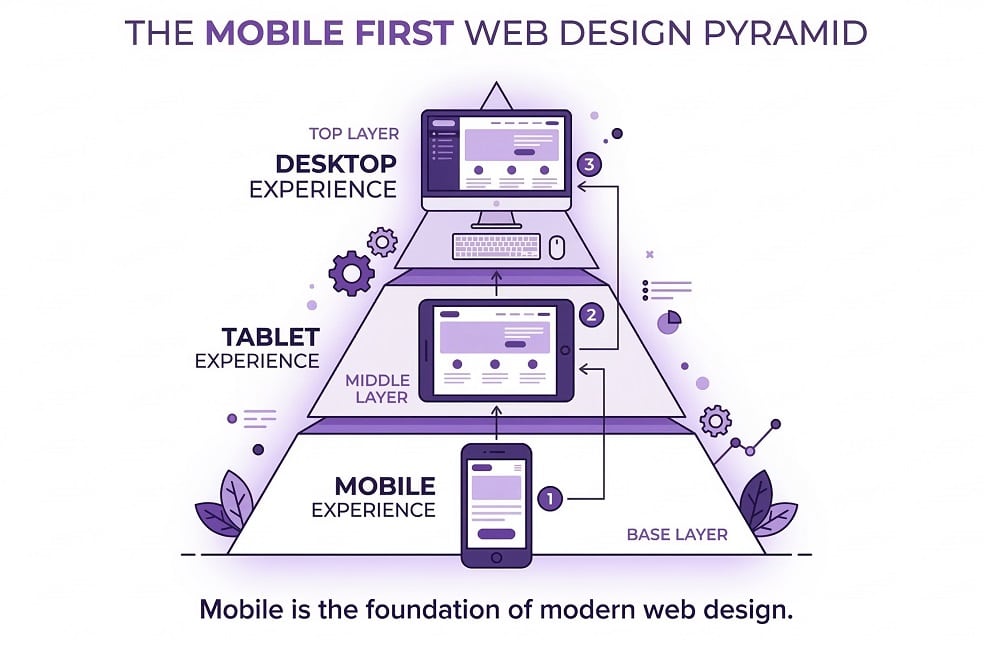
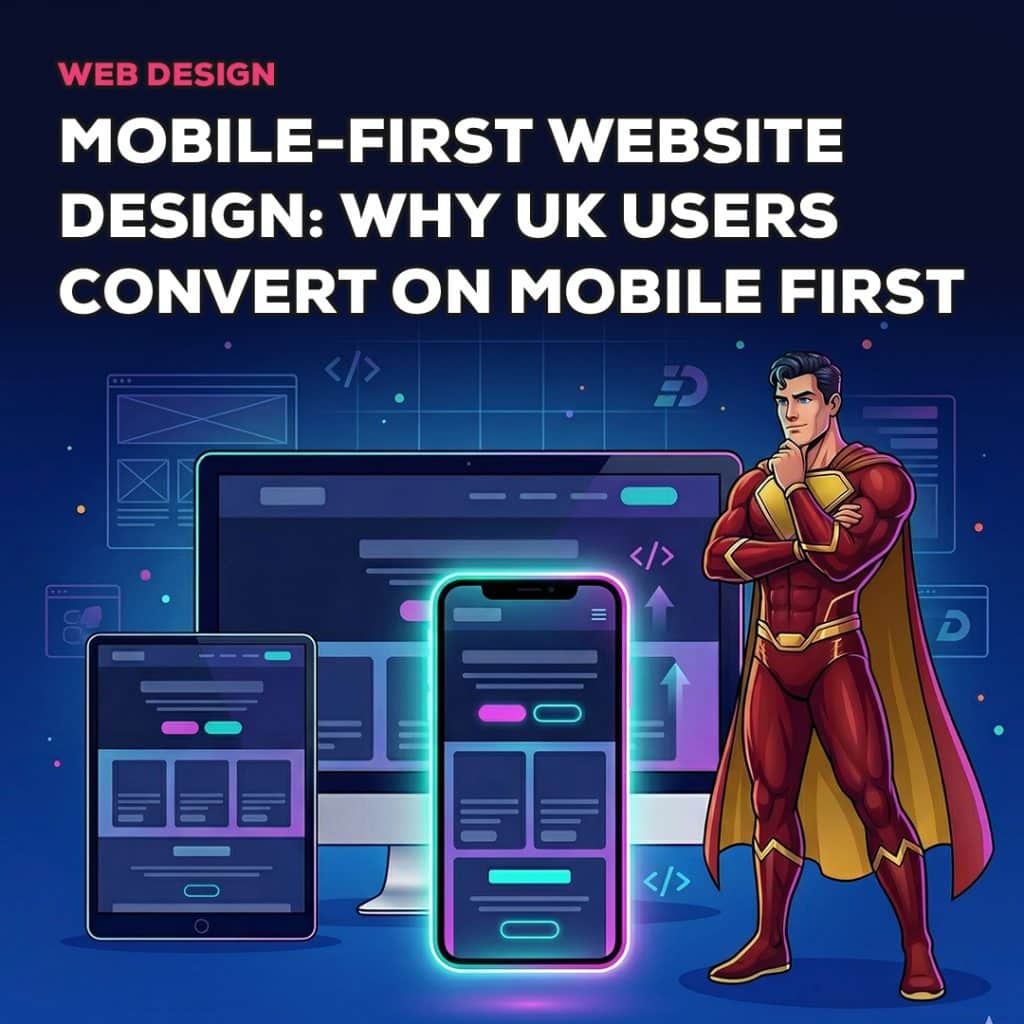
Mobile-first web design is often misunderstood as simply making a website responsive. Responsive design ensures that a layout adjusts to different screen sizes, but mobile-first design goes further.
Mobile-first is a design philosophy.
It begins with the assumption that the primary user experience will happen on a small screen. Instead of designing large complex layouts and compressing them later, designers start by focusing on the most important information and interactions.
This approach forces clarity.
A mobile screen has limited space. Every element must justify its presence. Messaging must be concise. Navigation must be simple. Calls to action must be obvious.
When the mobile experience is strong, expanding the design to tablet and desktop screens becomes straightforward. Additional space allows for richer content, but the core structure remains clear and focused.
Mobile-first design also prioritises speed and touch interaction. Buttons must be easy to tap. Forms must be simple to complete. Page load times must remain fast even on slower connections.
These factors influence how visitors interact with the website and ultimately determine whether they convert into enquiries or customers.
How UK Users Actually Browse on Mobile
Understanding how people behave on mobile devices is essential for designing effective experiences.
Mobile browsing is fundamentally different from desktop browsing. The environment, attention span and user expectations change when someone uses a phone.
Mobile users tend to have shorter attention spans. They may be browsing while commuting, waiting in a queue or multitasking. They expect to find information quickly and will leave if it takes too long.
Scanning behaviour also dominates mobile usage. Instead of reading large blocks of text, users scan headings and visual cues. Clear structure becomes critical for guiding attention.
Navigation is usually performed with the thumb. This affects how menus, buttons and calls to action should be placed on the screen. Elements located near the bottom or centre of the screen are easier to interact with than those placed at the very top.
Mobile users also make decisions quickly. They often arrive with a specific intention such as finding a local service, comparing options or making a purchase.
If the website provides clarity and removes friction, users act immediately. If the experience feels slow or confusing, they abandon the journey.
Designing for these behaviours requires a mindset that prioritises simplicity and speed.
Why Mobile Users Convert Differently
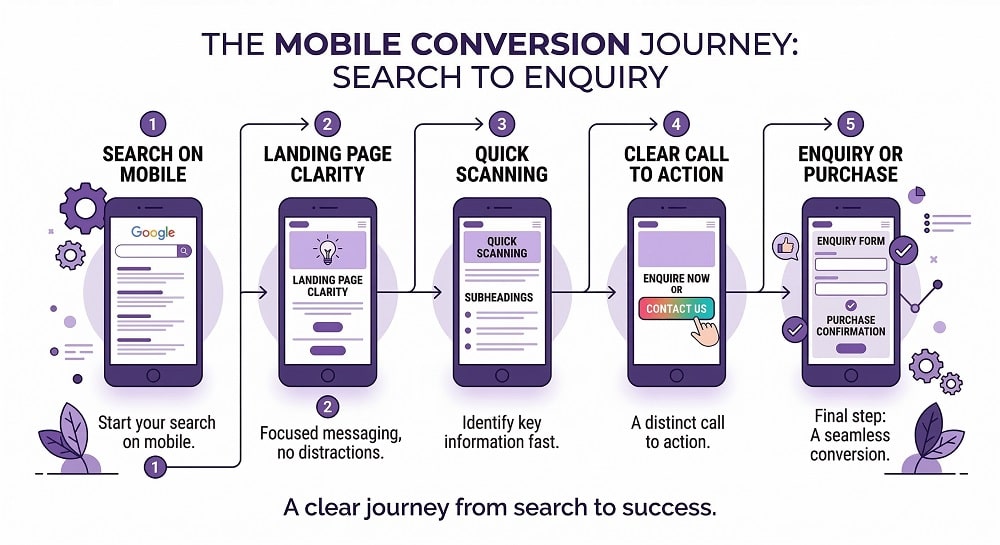
Mobile visitors often convert differently from desktop users because their intent tends to be more immediate.
Many mobile searches occur at the moment a user needs something. Someone searching for a local service, for example, may be actively looking to make contact quickly. A complicated website slows down that process.
Location based searches also play a role. Mobile users frequently search for nearby businesses while on the move. When a website provides clear contact information, directions and simple enquiry forms, conversions can happen quickly.
Comparison behaviour is another factor. Mobile users often switch between websites rapidly while evaluating options. If one site feels easier to navigate or provides clearer messaging, the user is likely to stay there.
Mobile environments also encourage faster decision journeys. A visitor may not spend twenty minutes exploring a website as they might on a desktop. Instead, they want to understand the offer quickly and take action.
Design choices therefore become critical. Clear messaging, simple navigation and prominent calls to action can significantly increase mobile conversions.
Common Mobile Design Mistakes That Reduce Conversions
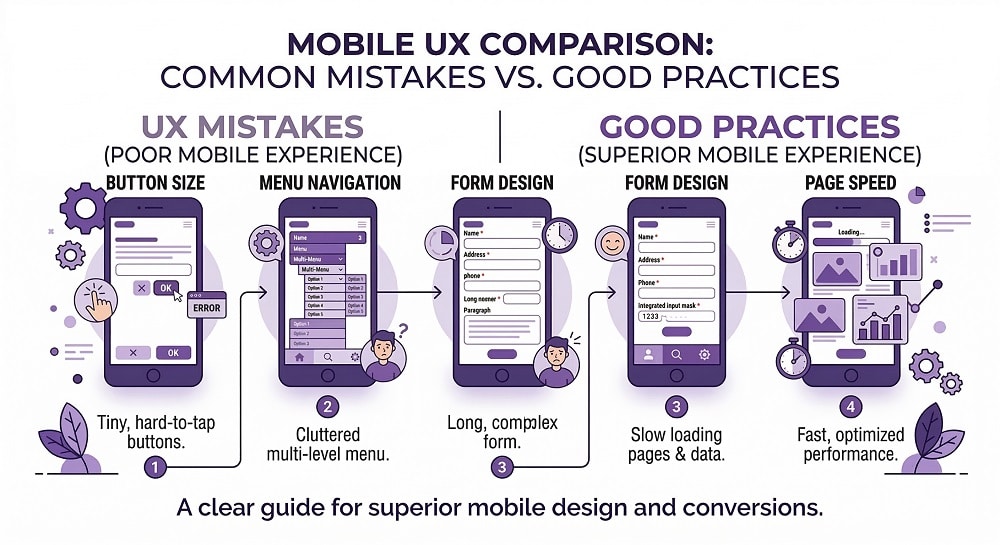
Despite the importance of mobile traffic, many websites still struggle to deliver a strong mobile experience. The following mistakes appear frequently and have a direct impact on conversion rates.
1. Desktop-First Layouts
Many websites are designed primarily for desktop screens and then adjusted for smaller devices. This often leads to layouts that feel cramped or confusing on mobile.
Content that looked balanced on desktop may appear crowded when compressed. Images may push key information below the fold, forcing users to scroll excessively.
2. Tiny Buttons and Links
Mobile interactions depend on touch. Buttons that are too small or placed too closely together create frustration. Users may tap the wrong element repeatedly before achieving the desired action.
Large, clearly defined buttons improve usability and encourage interaction.
3. Forms That Are Difficult to Complete
Forms designed for desktop often contain too many fields for mobile users. Typing on a phone requires more effort, particularly when long inputs are required.
Reducing the number of fields and enabling autofill features improves completion rates significantly.
4. Slow Loading Pages
Mobile networks can be inconsistent. Large images, heavy scripts and poorly optimised pages increase loading times. When a page takes too long to appear, users simply leave.
Speed optimisation is therefore essential for mobile conversions.
5. Cluttered Navigation
Complex menus may work on desktop but become confusing when condensed into a mobile navigation panel. Too many options make it harder for users to find the information they need quickly.
Simplified navigation structures reduce cognitive load.
6. Pop-Ups That Block the Screen
Pop-ups can be useful for capturing leads, but poorly designed ones often block essential content on mobile screens. Users may struggle to close them, leading to frustration.
Pop-ups should be used carefully and designed with mobile usability in mind.
Mobile UX Elements That Improve Conversions
Once the most common mobile mistakes are removed, the next step is designing experiences that actively encourage mobile users to take action. Small improvements in layout, clarity and usability can have a significant impact on conversion rates.
1. Clear Above-the-Fold Messaging
Mobile users often decide within seconds whether a website is relevant to them. The content visible when the page first loads therefore plays a crucial role.
Visitors should immediately understand what the business offers, who it helps and why it matters. If this information is buried under large images or vague headlines, users may scroll briefly and then leave.
Effective mobile-first websites place the most important message and a clear call to action near the top of the screen.
2. Large, Tappable Buttons
Buttons that feel easy to tap increase interaction. Mobile users rely on their thumbs, so interactive elements must be large enough to press comfortably without accidentally tapping other items.
Calls to action such as “Get a Quote” or “Book a Consultation” should stand out clearly from surrounding content.
Spacing around buttons is equally important. Adequate spacing prevents accidental clicks and improves the overall usability of the page.
3.Short and Simple Forms
Forms often represent the final step before conversion. On mobile devices, long forms create friction.
Reducing the number of required fields makes completion faster and less intimidating. Asking only for essential information such as name, email and enquiry message often produces better results than requesting excessive details.
Auto fill and dropdown fields can also reduce typing effort.
4. Simple Navigation
Mobile navigation must be intuitive. Users should be able to reach key pages quickly without navigating through multiple levels of menus.
A well organised navigation structure often includes a concise set of top level options. Secondary content can be accessed through clear sub menus when needed.
When users can find information easily, they remain engaged longer.
5. Fast Loading Pages
Speed remains one of the most critical factors for mobile performance. Even a few seconds of delay can significantly increase bounce rates.
Optimising images, minimising unnecessary scripts and using efficient hosting infrastructure all contribute to faster load times.
From a user perspective, speed communicates professionalism. Fast websites feel more reliable and trustworthy.
6. Sticky Calls to Action
Sticky elements remain visible as users scroll through the page. For mobile websites, sticky calls to action can improve conversion rates by ensuring that the next step is always within reach.
Examples include persistent enquiry buttons, booking links or contact icons that remain accessible throughout the browsing experience.
These features reduce the effort required for users to take action.
The Role of Mobile Design in SEO
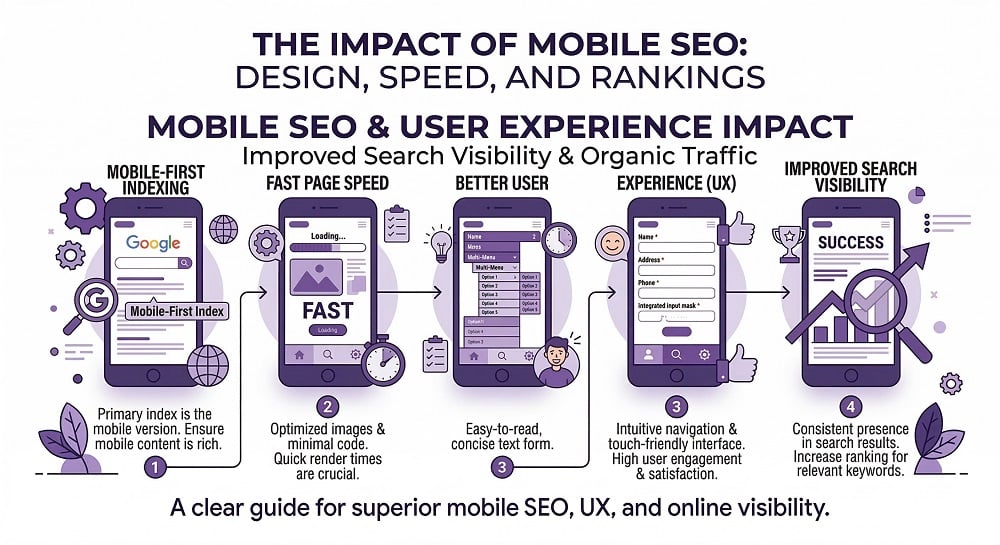
Mobile-first design influences more than just user experience. It also affects how websites perform in search engines.
Google now uses mobile-first indexing, meaning the mobile version of a website is considered the primary version for ranking purposes. If the mobile experience is weak, the website’s search visibility can suffer.
Page speed also plays a role. Mobile users frequently access websites through mobile networks, which can be slower than desktop connections. Fast loading pages improve both user satisfaction and search rankings.
Mobile usability signals contribute as well. Websites that provide easy navigation, readable content and properly sized interactive elements create a better overall experience. These factors indirectly influence search performance.
For businesses investing in SEO, mobile optimisation is therefore essential. A well structured mobile website not only improves conversions but also supports long term organic visibility.
How Design Hero Builds Mobile-First Websites
At Design Hero, mobile-first design is not an afterthought. It is a core principle of the website development process.
The process begins with understanding how the target audience interacts with websites on mobile devices. Different industries have different behaviour patterns. Service businesses often rely on quick enquiries, while ecommerce stores must simplify browsing and checkout journeys.
Once behaviour patterns are clear, the website structure is planned around mobile usability. Navigation, content hierarchy and calls to action are designed to function smoothly on smaller screens.
Performance optimisation is also prioritised. Page speed, image compression and efficient coding ensure that the website loads quickly across devices.
Messaging clarity plays an equally important role. Mobile users scan content rapidly, so headlines and supporting copy must communicate value immediately.
Because branding and web design are developed together, the final website feels consistent with the brand identity while remaining highly functional.
Clients work with one clear point of contact throughout the process, ensuring that strategic decisions remain consistent from concept to launch.
The result is a website designed for how users actually behave today, not how they behaved ten years ago.
Want your website to be mobile-friendly and fast? Contact Design Hero for free consultation
Mobile Website Self Audit
Businesses that want to evaluate their mobile experience can start with a simple audit. Viewing the website on a smartphone rather than a desktop monitor often reveals usability issues immediately.
Use the following checklist to identify potential improvements.
- Can visitors understand your offer instantly?
The headline and supporting message should clearly explain what the business does. - Are buttons large and easy to tap?
Interactive elements should be comfortable to use with a thumb. - Are forms simple to complete?
Long forms reduce mobile conversions. - Does the website load quickly?
Slow pages increase abandonment rates. - Is navigation easy to use?
Users should reach key pages within a few taps. - Are calls to action visible?
Visitors should always know the next step.
If multiple issues appear during this review, the website may benefit from a mobile-first redesign.
Final Thoughts
Mobile is now the primary way people browse websites across the UK. If a website is designed mainly for desktop screens, many visitors will struggle to navigate, understand the offer or complete an enquiry on their phones.
Mobile-first web design focuses on clarity, speed and usability from the beginning. When the mobile experience works smoothly, users can find information quickly and take action without frustration.
For businesses investing in digital marketing, improving the mobile experience can significantly increase conversions. Reviewing your website from a mobile perspective is often the first step toward better results.