


What Ecommerce UX Really Means
Before addressing mistakes, it is important to define what ecommerce UX actually involves.
Ecommerce user experience is the entire journey a customer takes from landing on your website to completing a purchase.
It includes how easily they can browse, how quickly they can find products, how clearly information is presented, how trustworthy the store feels and how smoothly checkout works.
UX directly influences four core areas of ecommerce performance.
- First, discoverability. Can users find what they are looking for without frustration?
- Second, clarity. Do they understand what the product does, who it is for and why it is worth buying?
- Third, confidence. Does the store feel credible, secure and transparent?
- Fourth, completion. Can they purchase without friction?
If any of these elements break down, conversions suffer.
Retailers often invest heavily in acquiring traffic. However, if the journey after arrival is weak, marketing spend becomes less efficient. Improving UX increases the return on existing traffic.
E-commerce UX Mistakes That Reduce Sales
Below are the most common ecommerce UX mistakes we see across UK Shopify and Woo-Commerce stores. Each one reduces revenue in subtle but measurable ways.
1. Overcomplicated Navigation
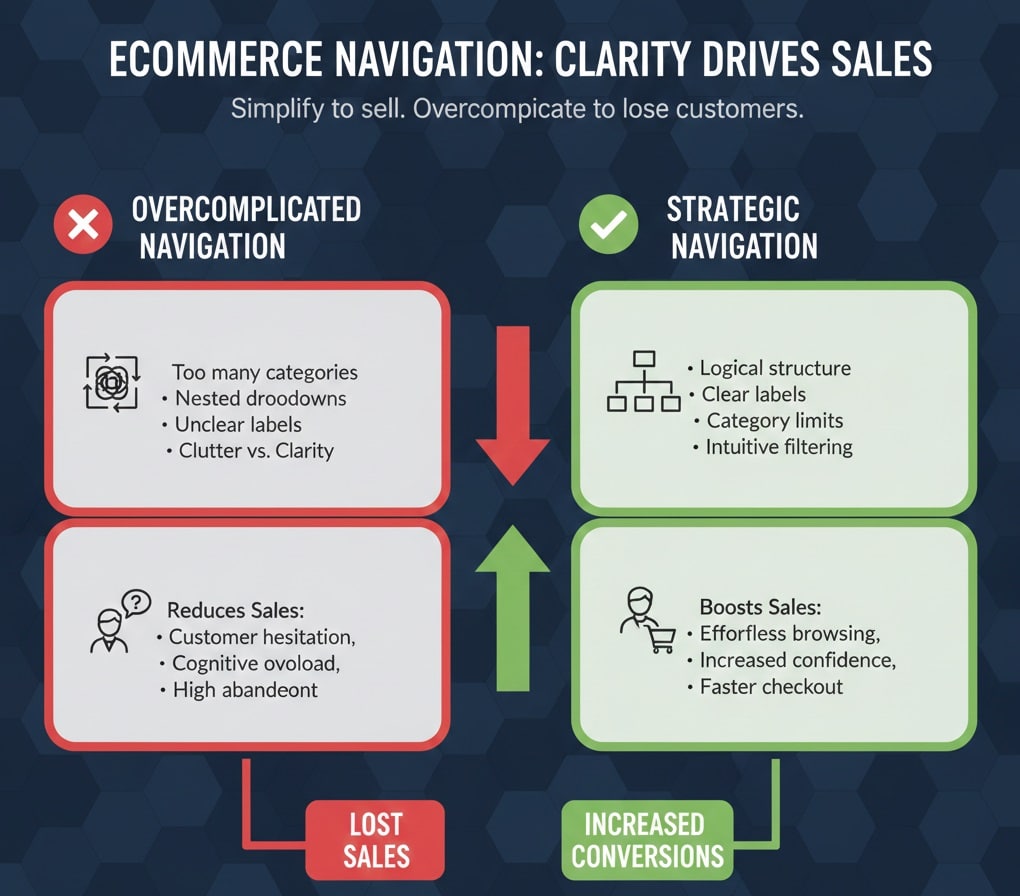
What it looks like: Too many top level categories. Nested dropdown menus. Overlapping product groups. Labels that are unclear or overly creative.
Why it reduces sales: When customers cannot immediately understand where to click, they hesitate. Every extra second spent searching increases the chance of abandonment. Cognitive overload reduces confidence. If browsing feels difficult, customers assume checkout will be too.
Many retailers attempt to show everything at once. The result is clutter rather than clarity.
What should happen instead: Navigation should be structured around how customers think, not how inventory is stored. Categories should be limited, logical and clearly labelled. Filtering systems should help users narrow options quickly. Navigation should reduce effort, not increase it.
Clarity in structure increases confidence in purchase.
2. Weak Search Functionality
What it looks like: A basic search bar with no predictive suggestions. No auto complete. Limited filtering. Irrelevant results.
Why it reduces sales: Search users often have high buying intent. If your search function fails, you lose ready to purchase customers. Poor filtering forces users to scroll through irrelevant results, increasing frustration.
In larger catalogues, search is essential. When it does not work intuitively, conversion rates drop sharply.
What should happen instead: Predictive search, product suggestions and dynamic filtering improve speed and relevance. Customers should be able to refine by price, size, colour or key attributes easily. The faster they find the right product, the faster they purchase.
Search is a conversion tool, not just a convenience.
3. Slow Loading Product Pages
What it looks like: Delayed image loading. Heavy scripts. Unoptimised media. Slow transitions between pages.
Why it reduces sales: Speed directly affects trust. If a page takes more than a few seconds to load, users assume the experience will continue to be slow. On mobile devices especially, delays reduce patience significantly.
Google data consistently shows that slower websites experience higher bounce rates and lower conversions.
What should happen instead: Optimised images, efficient code and performance testing are essential. Speed should be considered during development, not after launch. Fast product pages communicate professionalism and reliability.
Speed is part of user experience. It is not a technical extra.
4. Poor Product Imagery
What it looks like: Low resolution photos. Limited angles. No zoom functionality. No context of use. Inconsistent lighting.
Why it reduces sales: In ecommerce, customers cannot physically handle the product. Imagery replaces touch. If images are unclear, customers feel uncertain. Uncertainty reduces purchasing confidence.
Professional imagery increases perceived value. Poor imagery reduces it.
What should happen instead: High quality, consistent images from multiple angles. Zoom capability. Contextual images showing the product in use. Lifestyle photography where relevant. Visual clarity builds trust quickly.
In ecommerce, imagery sells.
5. Thin or Unclear Product Descriptions
What it looks like: Minimal bullet points. Generic manufacturer copy. Lack of benefits. No clarity about size, material or usage.
Why it reduces sales: Customers want reassurance. They want to know what they are buying, how it helps them and why it is better than alternatives. Thin descriptions force them to search elsewhere for information.
If they leave your site to research, many will not return.
What should happen instead: Benefit driven copy supported by clear specifications. FAQs within product pages. Structured information hierarchy. Clear returns information nearby. The more confident a customer feels, the more likely they are to purchase.
Clarity reduces hesitation.
6. Hidden Delivery Costs
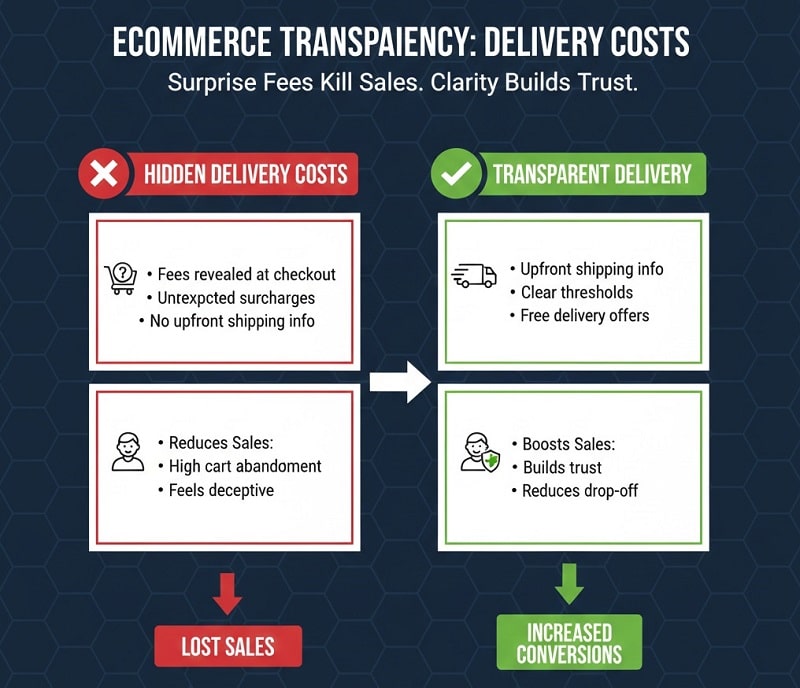
What it looks like: Delivery fees revealed only at checkout. No upfront shipping guidance. Unexpected surcharges.
Why it reduces sales: Surprise costs are one of the biggest causes of cart abandonment. Customers dislike uncertainty. Hidden fees feel deceptive, even if unintentional.
What should happen instead: Transparent delivery information displayed early. Clear shipping thresholds. Free delivery messaging where applicable. Transparent policies build trust and reduce drop off.
Transparency improves conversion rates immediately.
7. Complicated Checkout Process
What it looks like: Multiple unnecessary steps. Forced account creation. Long forms. Confusing field requirements.
Why it reduces sales: Checkout is the final conversion moment. Every additional field increases friction. Forced account creation creates resistance. If checkout feels complicated, users abandon.
Cart abandonment often peaks at checkout.
What should happen instead: Guest checkout options. Minimal form fields. Autofill compatibility. Clear progress indicators. Reassurance messaging. Payment options displayed clearly.
Checkout should feel effortless.
8. Poor Mobile Experience
What it looks like: Buttons too small to tap easily. Text difficult to read. Forms awkward to complete. Images cut off.
Why it reduces sales: A large percentage of UK ecommerce traffic comes from mobile. If your store is designed primarily for desktop, you are ignoring the dominant behaviour pattern.
Mobile friction directly impacts revenue.
What should happen instead: Mobile first design thinking. Thumb friendly navigation. Clear CTAs. Simplified layouts. Optimised mobile checkout.
If it does not work seamlessly on mobile, sales will suffer.
9. Lack of Trust Signals
What it looks like: No visible reviews. No testimonials. No return policy clarity. No security reassurance. No clear contact information.
Why it reduces sales: Ecommerce purchases require trust. Without physical interaction, customers look for social proof. If trust indicators are missing, hesitation increases.
What should happen instead: Reviews displayed prominently. Clear returns policy. Security badges. Contact details visible. Transparency builds confidence.
Trust reduces friction.
10. Distracting Design
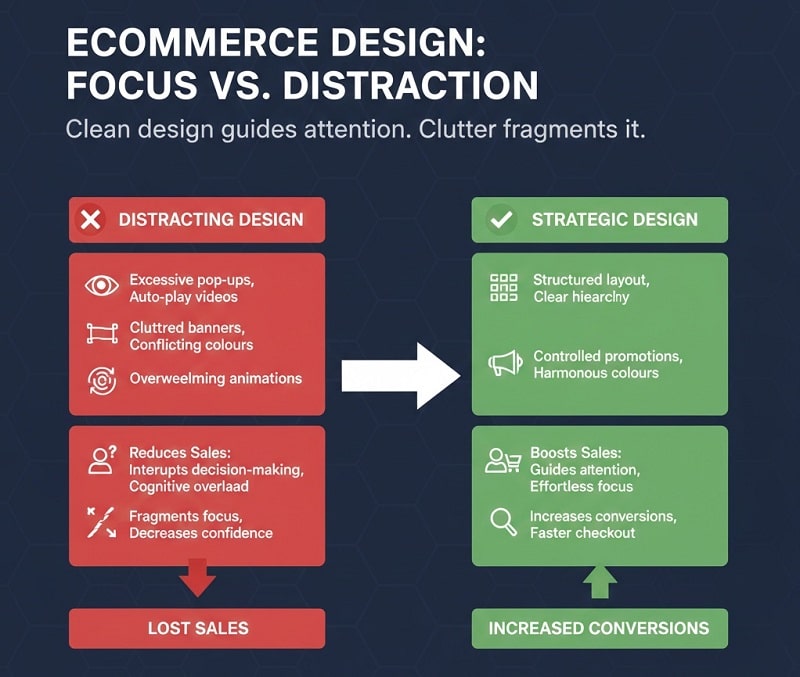
What it looks like: Excessive pop ups. Auto playing videos. Cluttered banners. Conflicting colours. Overwhelming animations.
Why it reduces sales: Distraction interrupts decision making. Pop ups can be useful strategically, but excessive interruption reduces focus. Clean design guides attention. Clutter fragments it.
What should happen instead: Structured layout. Clear visual hierarchy. Controlled use of promotional elements. Design should support purchase, not compete with it.
Focus improves conversions.
Why These Ecommerce UX Mistakes Keep Happening
Most ecommerce UX problems are not caused by laziness. They are caused by assumptions.
Many retailers launch their online store using a pre built theme. Templates promise speed and simplicity. They look polished in demos.
However, templates are generic by design. They are not built around your specific product structure, audience behaviour or commercial goals. Without strategic refinement, they create hidden friction.
Another common cause is designing for aesthetics rather than usability. Business owners understandably want their store to look impressive. Designers may prioritise visual creativity over clarity.
The result can be a visually appealing store that lacks direction. Ecommerce success depends less on artistic expression and more on logical flow.
Lack of user journey planning also plays a major role. Retailers often build pages in isolation rather than mapping how customers move from homepage to category to product to checkout.
Without a structured journey, customers encounter dead ends or unnecessary steps.
Testing is frequently overlooked. Many stores launch without reviewing heatmaps, user recordings or conversion data.
Decisions are based on personal opinion rather than behaviour insight. When UX issues are invisible to the business owner, they remain unfixed.
Finally, rushed development creates long term friction. When ecommerce websites are built quickly to meet a launch deadline, strategic thinking is often sacrificed. Structure becomes reactive rather than intentional.
These mistakes compound. Each one reduces conversion rates slightly. Together, they create a noticeable revenue gap.
How to Fix Ecommerce UX Problems Strategically
Improving ecommerce UX does not require a full rebuild every time. However, it does require structured thinking.
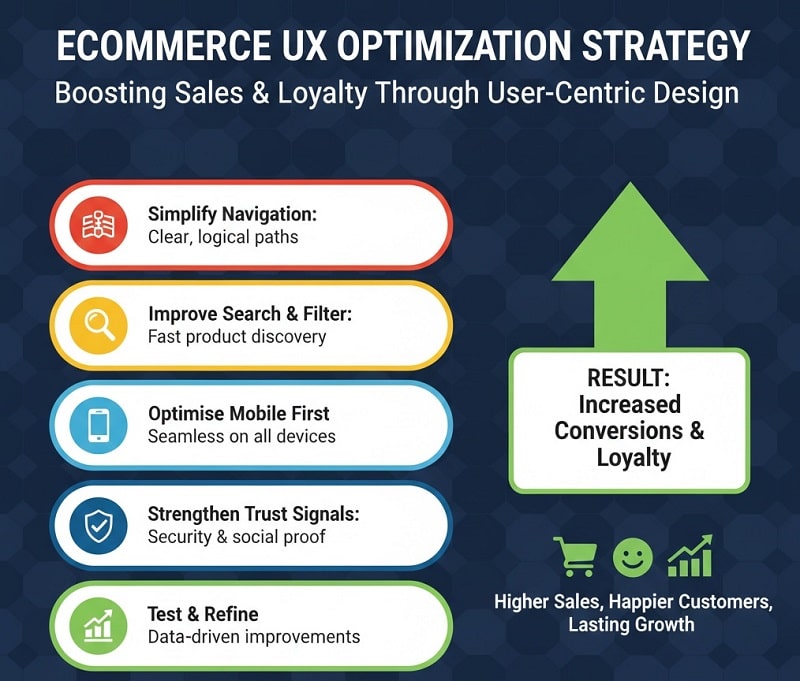
1. Simplify Navigation
Begin by reviewing your category structure. Ask whether it reflects how customers search. Remove unnecessary top level options. Merge overlapping categories. Use clear labels instead of creative language that may confuse first time visitors.
Navigation should feel intuitive. If a new visitor cannot identify where to click within seconds, refinement is required.
2. Improve Search and Filtering
Search should function like a helpful sales assistant. Implement predictive search where possible. Enable filtering by relevant attributes such as size, price, colour or compatibility.
Customers who use search often convert at higher rates. Optimising search is a direct revenue improvement strategy.
3. Optimise Mobile First
Review your store on a mobile device, not just desktop. Check button size. Check readability. Complete a full checkout on mobile yourself. If it feels slow or awkward, customers experience the same frustration.
Mobile optimisation should not be an afterthought. It should guide layout decisions from the beginning.
4. Reduce Checkout Friction
Audit every field in your checkout form. Ask whether it is essential. Enable guest checkout. Provide clear progress indicators. Offer multiple payment options if appropriate.
The goal is to remove hesitation at the most critical stage.
5. Strengthen Trust Signals
Add visible reviews near product information. Display delivery and return information clearly. Include secure payment reassurance. Provide accessible contact information.
Trust signals should appear at decision points, not hidden in footers.
6. Test and Refine Continuously
UX improvement is ongoing. Use analytics tools to monitor drop off points. Identify where users abandon baskets. Review performance regularly.
Small refinements can produce meaningful increases in conversion rate.
The Link Between UX and Average Order Value
Many retailers focus exclusively on increasing traffic. However, improving UX can increase average order value without acquiring a single new visitor.
Clear upsell opportunities presented at the right moment encourage customers to add complementary products.
Cross sales on product pages guide buyers toward related items. Smart product recommendations based on browsing behaviour increase basket size.
However, these strategies only work if the journey feels smooth. If navigation is confusing or checkout is frustrating, customers focus on completing a single purchase quickly rather than exploring additional products.
A seamless user experience encourages browsing. Browsing increases exposure. Exposure increases order value.
UX directly influences both conversion rate and revenue per customer.
The Financial Impact of UX Improvements
Retailers often underestimate how small UX refinements affect revenue.
For example, increasing the conversion rate from 1.5 percent to 2.2 percent may appear minor. However, on a store receiving 20,000 monthly visitors with an average order value of £70, that difference translates into thousands of pounds per month in additional revenue.
Improving checkout completion rate by just a few percentage points can produce similar results.
UX improvements compound over time. Unlike paid ads, which stop producing results when budget stops, UX refinements improve performance permanently.
This is why ecommerce UX should be viewed as an investment, not an expense.
How Design Hero Improves Ecommerce UX
At Design Hero, ecommerce UX begins with strategy, not templates.
We review user journeys from entry point to checkout. We examine navigation structure, product architecture and category logic. We evaluate mobile performance and checkout friction. We identify where hesitation occurs.
UX audits provide clarity before design changes are implemented. Rather than redesigning blindly, we prioritise adjustments based on behaviour.
Conversion focused layout guides customers naturally toward purchase. Visual hierarchy directs attention to key information. Trust signals are positioned strategically. Checkout processes are streamlined.
Because branding and UX work together, messaging clarity supports decision making. Customers understand what they are buying and why it matters.
Retailers work with one point of contact throughout the process. Communication remains consistent. Scope remains transparent.
The goal is simple. Reduce friction. Increase confidence. Improve revenue.
Quick Ecommerce UX Audit Checklist
Retailers can begin identifying UX weaknesses by asking a few practical questions.
- Can a first time visitor understand what your store sells within seconds of landing on the homepage?
- Can customers find a specific product in three clicks or fewer?
- Is your search function predictive and accurate?
- Are product images high quality and consistent?
- Are product descriptions benefit driven and detailed?
- Are delivery costs transparent before checkout?
- Does checkout allow guest purchase?
- Is your mobile experience seamless from browsing to payment?
- Are reviews and trust signals visible near decision points?
If any of these answers are unclear or negative, improvement opportunities exist.
The Role of UX in Long Term Ecommerce Growth
Ecommerce growth is rarely linear. Competition increases. Customer expectations rise. Attention spans shorten.
Retailers who prioritise UX create a competitive advantage. Customers remember smooth experiences. They return to stores that feel easy and trustworthy.
Conversely, stores that feel confusing or frustrating lose customers permanently. In a market with abundant alternatives, friction pushes buyers elsewhere instantly.
UX excellence supports retention, referral and repeat purchase behaviour.
It also improves marketing efficiency. Paid traffic converts at higher rates. SEO investment produces stronger revenue outcomes. Email campaigns generate more completed transactions.
UX does not operate separately from marketing. It amplifies it.
Final Thoughts
Ecommerce UX mistakes rarely feel dramatic. They appear as minor inconveniences. A slightly slow page. A confusing menu label. An unclear delivery cost.
However, these small moments accumulate. Each hesitation increases the chance of abandonment.
For UK retailers frustrated by low sales despite healthy traffic, UX is often the hidden variable.
Improving ecommerce UX does not require constant redesign. It requires structured thinking, honest auditing and strategic refinement.
Clarity increases confidence. Confidence increases purchases.
If your online store feels busy but underperforms financially, it may be time to review the journey rather than the marketing budget.
Because when UX improves, revenue follows.