

Here’s a guide for Scottish business owners who to build a simple, easy to use CMS for their business.
Choosing a CMS should feel simple.
Pick the tool. Build the site. Grow the business.
But most Scotland business owners tell us it feels like a maze.
There are too many platforms.
Too much jargon.
Too many opinions from agencies and freelancers who all swear their way is best.
So people choose based on hype or price, or whatever their mate used.
Six months later, they are stuck with a site they cannot edit.
Or a platform that costs a fortune to run.
Or a system that fights them every time they try to publish a page.
You deserve better.
You deserve a practical guide that explains the options in plain English.
You deserve a recommendation based on your goals, not our favorite tool.
This is that guide.
Written for small businesses, trades, and purpose led entrepreneurs across Perth, Glasgow, and the rest of Scotland.
Crisp explanations.
Honest comparisons.
Real world pitfalls to avoid.
And a simple path to the right choice.
By the end, you will know which CMS fits your goals, your budget, and your team.
You will also know why Design Hero is a safe pair of hands when you want a site that works without drama.
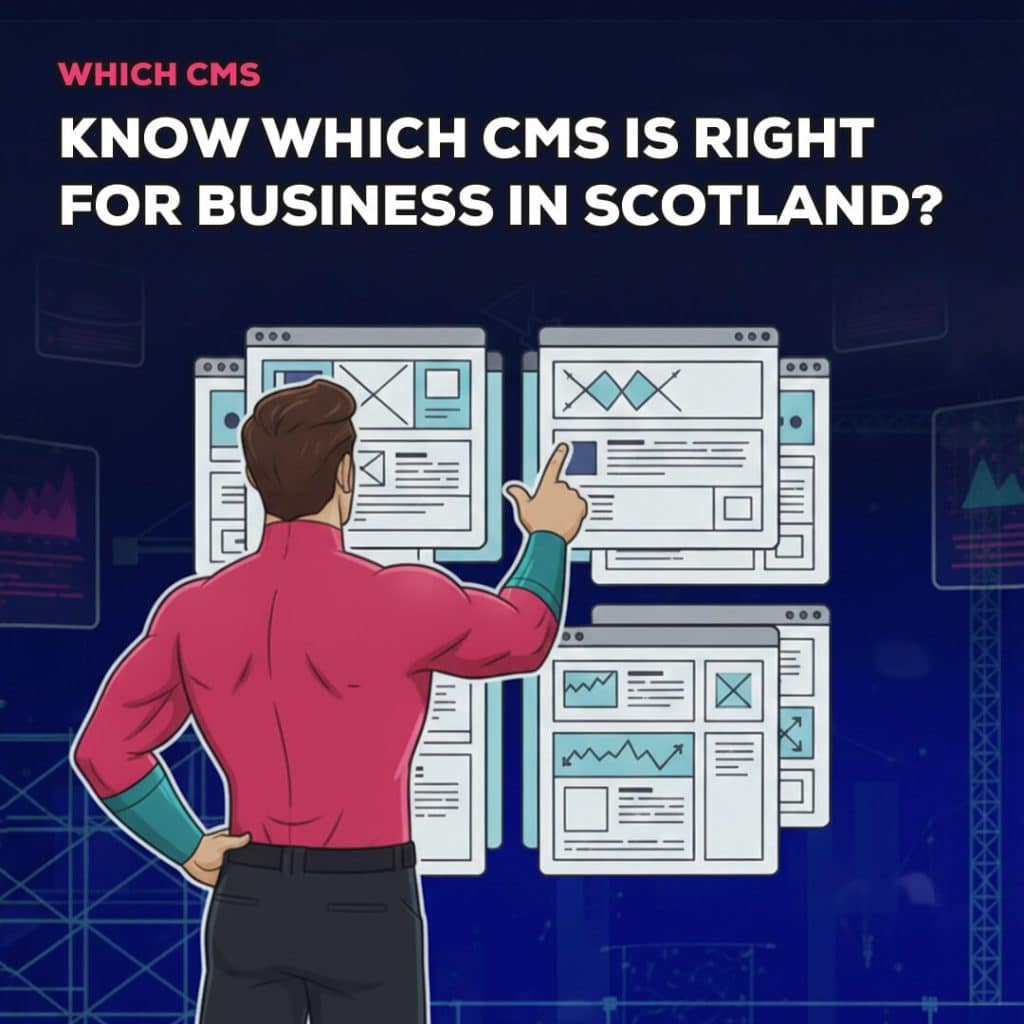
What is a CMS and why does it matter?
CMS means content management system.
It is the engine behind your website.
You log in.
You edit text.
You add images.
You publish blogs.
You manage products.
You control the structure and the settings.
Pick the right CMS and life is easy.
Updates feel safe.
SEO is clear.
Pages load fast.
Support is simple.
Pick the wrong CMS and everything becomes a fight.
You fear pressing Update.
Basic tasks need a developer.
The site crawls.
Search tanks.
Costs creep up.
Your CMS influences:
- Speed and performance
- Security and updates
- How simple edits feel
- How far you can scale
- Ongoing costs and lock ins
- Your ability to win search traffic
That is why this choice matters.
It is not a technical preference.
It is a business decision.
What factors to Consider Before You Choose a CMS?
Think about your business first, and platform second.
1. Your main goal should be
Sell products.
Generate enquiries.
Book appointments.
Showcase a portfolio.
Publish content regularly.
Your goal should decide the tool.
2. Budget and total cost of ownership
There is the build cost.
Then there is the cost to run the site for years – Hosting, Apps, Plugins, Transaction fees, and Maintenance.
Price the full picture, not just the launch.
3. Ease of use for real humans
Who will edit the site day to day.
Do they like tech?
Do they need point and click?
Will they ever touch settings?
Pick the tool that fits your editor, not the other way around.
4. Scalability and headroom
More pages
More features
More integrations
More content types
Your CMS should grow with you without a rebuild every year.
5. Design control
Templates are fast.
Custom gives you brand power.
Know how far you want to push the visuals.
6. SEO capability
Clean URLs
Editable meta
Control over headings
Schema options
Image compression
Sitemaps
Your CMS must support search, not block it
7. Security and maintenance
Who updates the platform?
Who updates plugins?
Who fixes issues?
What happens if something breaks on a Friday night?
8. Support and training
You need a clear handover.
A short video or two.
A quick guide for common tasks.
Confidence beats confusion.
If you answer these honestly, the shortlist gets very small, very fast.
best cms for scottish businesses
What are the best cms for scottish & UK Businesses?
The aim here is not to crown a winner. The aim is to match the platform to your goal.
1. WordPress
WordPress is the most flexible platform for small businesses.
It powers a huge chunk of the internet for a reason.
All of our websites are built on WordPress, and I also personally consult on WordPress sites for startups across the UK
Where it shines
Service businesses that live on search.
Trades that want calls and enquiries.
Content heavy sites that publish and rank.
Local firms that need control without being locked in.
Pros
- Huge plugin ecosystem.
- Strong SEO foundations.
- Flexible content types and custom fields.
- Low hosting costs with the right setup.
- Works for almost any structure.
Cons
- Needs updates.
- Can get bloated if configured badly.
- Cheap shared hosting ruins performance.
Bottom line
If you want control, growth, and search visibility, WordPress is a safe bet. With a tidy build and regular care, it will serve you for years.
2. Shopify
Shopify is built to sell.
If your main goal is ecommerce, start here.
Where it shines
Product catalogues.
Inventory.
Checkout.
Abandoned cart recovery.
Shipping and taxes.
Secure payments out of the box.
Pros
- Fast to set up a store.
- Secure and stable hosting.
- Excellent admin for orders and products.
- Great app marketplace for store features.
Cons
- Monthly fees and app costs add up.
- Design control has limits without custom code.
- Content flexibility is weaker than WordPress.
Bottom line
If sales are king, Shopify is the best mix of speed, stability, and features.
3. Webflow
Webflow gives designers serious control of layout and animation.
This can be great for designing websites for startups.
Think modern brands and visual storytelling.
Where it shines
Design led sites.
Sleek interactions.
Precise component based layouts.
Clean front end output.
Pros
- High design freedom.
- Good built in CMS for structured content.
- Solid performance with the right build.
- Clean, modern hosting stack.
Cons
- Learning curve for non technical editors.
- Pricing rises with bigger CMS needs.
- Ecommerce is improving but still behind Shopify for complex stores.
Bottom line
If you want a beautiful, design focused front end and are happy with some training, Webflow is a strong choice.
4. Squarespace and Wix
These are the DIY platforms.
Simple.
All in one.
Good for micro sites.
Where they shine
One person businesses.
Very simple brochure sites.
Tight budgets.
Short timelines.
Pros
- Quick to launch.
- Bundled hosting.
- Template library.
- Low maintenance.
Cons
- Limited control.
- Scaling gets awkward.
- SEO options are basic.
- Platform lock in is real.
Bottom line
Great to get something online now.
Often replaced later when the business grows.
5. Other platforms
Joomla. Drupal. Ghost. Headless setups.
Powerful, yes.
But overkill for most local businesses.
They need larger teams and dedicated development.
If you are reading this guide, you likely do not need them.
Real world Scenarios and The Right CMS
Sometimes a straight example helps more than a features list.
1. Local trade needing leads
The goal is enquiries.
Focus on search and trust.
Needs service pages, case studies, reviews, and a simple quote form.
Pick WordPress.
You get SEO control, speed tuning, and easy publishing.
2. Independent shop going online
The goal is sales.
Focus on inventory, shipping, and simple checkout.
Pick Shopify.
You get speed, security, and store tools that feel natural.
3. Stylish brand site for a creative studio
The goal is credibility and visual impact.
Focus on design, motion, and storytelling.
Pick Webflow.
You get a modern front end and tight control.
4. One person consultancy with a tiny budget
Goal is simple presence and a few leads.
Pick Squarespace.
Launch fast.
Consider WordPress later when content grows
What common CMS mistakes Scotland businesses make?
You can avoid so much pain with this shortlist.
1. Choosing on price alone
Cheap now.
Expensive later.
Rebuilds cost far more than picking the right platform at the start.
2. Picking what your designer prefers without a reason
Tool bias is normal.
You need a justification that maps to your goals.
3. Selecting an ecommerce platform when you are not selling
It happens.
You end up paying for features you never use.
If you want to build an ecommerce site, pick a suitable CMS, but if you’re not selling online then you can stick to something more simple like WordPress
4. Accepting lock in without thinking ahead
Some setups make moving away painful.
Always ask about export and migration.
5. Ignoring long term costs
Monthly fees and apps creep up.
Plugins need renewal.
Hosting needs a realistic budget.
6. Underestimating content workload
The CMS is not the bottleneck.
Content is.
If you cannot write it, plan for help.
7. No editor training
People fear the system because no one taught them the basics.
Training changes that in an hour.
Total cost of ownership at a glance
Numbers vary, but this helps frame the decision for two years of use.
-
WordPress
Hosting: low to medium with a good provider.
Plugins: some paid, some free.
Maintenance: small monthly retainer or DIY updates.
Best value for flexible, content led sites.
-
Shopify
Monthly platform fee.
Apps with monthly fees.
Hosting included.
Predictable but higher ongoing costs.
Worth it when sales are strong.
-
Webflow
Hosting and CMS plans monthly.
Cost scales with items and bandwidth.
Value driven by design and performance.
-
Squarespace and Wix
Single monthly fee.
Low maintenance.
Limited control at scale.
Often a stepping stone to something else.
SEO and performance by platform
Search and speed matter for every site.
Here is the practical view.
-
WordPress
Strong SEO plugins.
Fine control of metadata.
Clean URL control.
Great image optimization with the right stack.
Needs a quality host and a tidy build to fly.
-
Shopify
Solid ecommerce SEO basics.
Structured data for products.
Fast globally on Shopify’s network.
Some URL limits, but workarounds exist.
-
Webflow
Clean output and fast hosting.
Good control of meta, headings, and structure.
Strong when the designer is thoughtful.
-
Squarespace and Wix
Enough for simple sites.
Limits appear as needs grow.
Speed depends on template choices and media habits.
Good content and a smart structure beat platform differences most of the time.
But it helps to start with a platform that does not get in your way.
Editing Experience and Training
A great CMS gives you confidence.
-
What easy editing should feel like
You open a page.
You change a headline.
You swap an image.
You save.
Nothing breaks.
-
What training should include
How to edit pages and posts.
How to add a new service.
How to publish a blog with images and SEO.
How to add a call to action.
How to roll back a change if needed.
We deliver short video walkthroughs and a tidy editor interface.
This turns fear into momentum.
Simple CMS recommendation tool
This rule of thumb will solve most decisions.
- You want to sell products – Choose Shopify.
- You want full control for content and SEO – Choose WordPress.
- You want a modern, design led brand site – Choose Webflow.
- You want a fast DIY brochure site – Choose Squarespace.
- You want long term flexibility with a tight budget – Choose WordPress.
If your situation is unusual, we can tailor the choice.
Most are not unusual.
How Design Hero Helps You Choose Right CMS?
Here is our approach, start to finish.
Discovery
We ask about goals, market, and growth plans.
We look at content and team capacity.
We agree what success looks like.
Recommendation
We show two or three platform options with pros, cons, and costs over two years.
We explain why one option is the best fit.
Prototype or demo
We let you feel the editor.
We prove the workflow is simple before we build the whole site.
Build
We design around your brand and your users.
We build clean structures that are easy to edit.
Handover
We train you.
We give you clear guides.
We stay available.
Support
We keep things updated and safe.
You focus on running the business.
That is how projects stay calm and on schedule.
Decision Checklist You can Print
Use this list in your next meeting.
- What is the main goal of the site
- Who will edit content each week
- Can the CMS meet that goal with minimal plugins
- What will this cost over two years
- How strong is SEO control
- How simple is page editing
- Can we migrate out later
- Who is responsible for updates and backups
- Do we have a clear training plan
- Does the platform support our next two growth steps
If you can tick these off, you are ready to commit.
Quick questions and answers
- Is WordPress still a good choice for small businesses?
Yes, With a tidy build and proper hosting, it is fast, flexible, and great for SEO.
- When is Shopify the wrong choice?
When you are not selling products. You pay for ecommerce features you will not use.
- Is Webflow too complex for clients?
Not with training and a thoughtful editor setup. For design-led sites, it is worth the learning.
- Can we start on Squarespace and move later?
Yes, Keep content clean and structured. Migration will be smoother.
- How do we avoid plugin chaos on WordPress?
Choose a lean stack. Use premium plugins sparingly. Keep the theme lightweight. Maintain monthly.
Conclusion
Choosing a CMS should not be a gamble.
It should be a calm decision rooted in goals, budget, and growth plans.
WordPress gives control and search power for service led businesses.
Shopify gives stability and sales for online stores.
Webflow gives design precision for modern brands.
Squarespace gives quick results for very small sites.
The right choice saves time and money.
The wrong choice creates friction and rebuilds.
If you want a straight answer without jargon, talk to Design Hero.
We will map your goals, weigh the options, and recommend the platform that fits you now and in a year.
You will get a website you can edit with confidence.
You will get a partner who answers the phone.
You will get results without the drama.
Ready to pick a CMS that works for your business in Scotland and UK
Let’s plan it together and build it right.
About the author

Nicholas Robb, Founder
The original Design Hero founder, solopreneur and marketing expert; Nick will help you supercharge your business success with a broad skill-set spanning a range of digital marketing fields.
If you want help growing your business...